CLOUDEX Drive
- How to use "Cloudex Drive"
- How to use Driver Web App
- How to clear Cache & Storage
- How to take picture of Documents
- How to Upgrade Cloudex Drive to the Latest Version
How to use "Cloudex Drive"
1. Installing the Driver App
Search for the "Cloudex Drive" app in the Google Play Store (Android) or the App Store (iPhone).
2. Logging In to the App
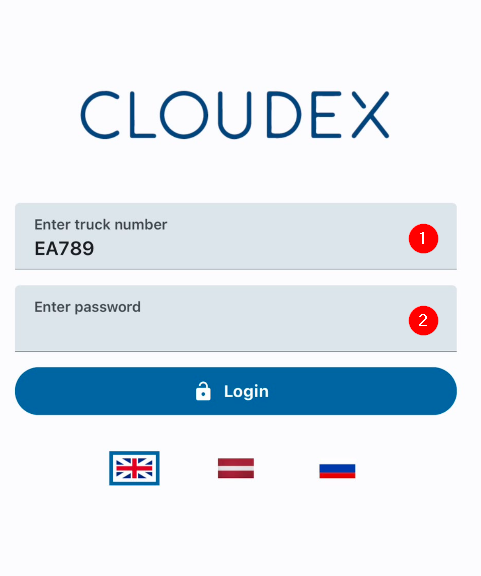
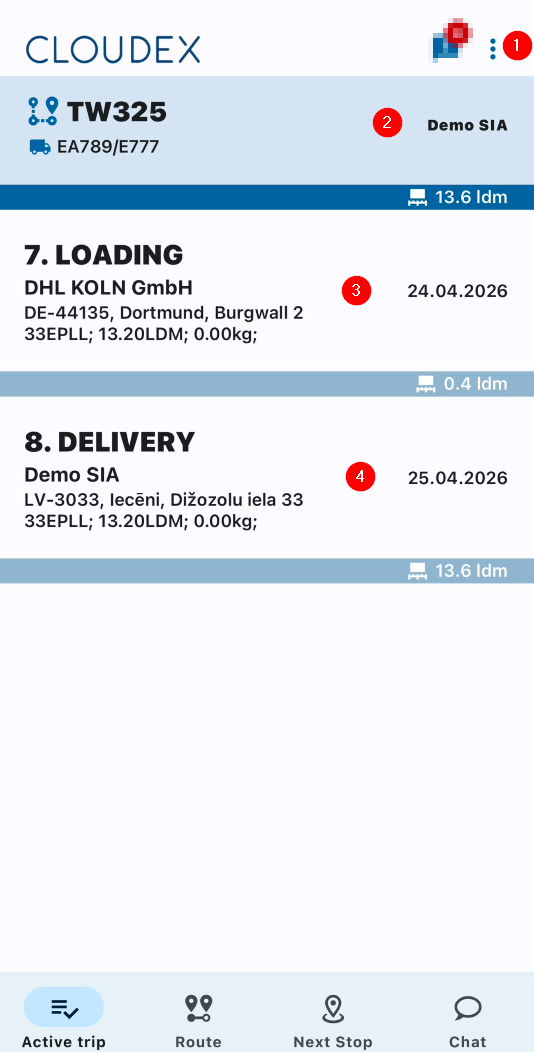
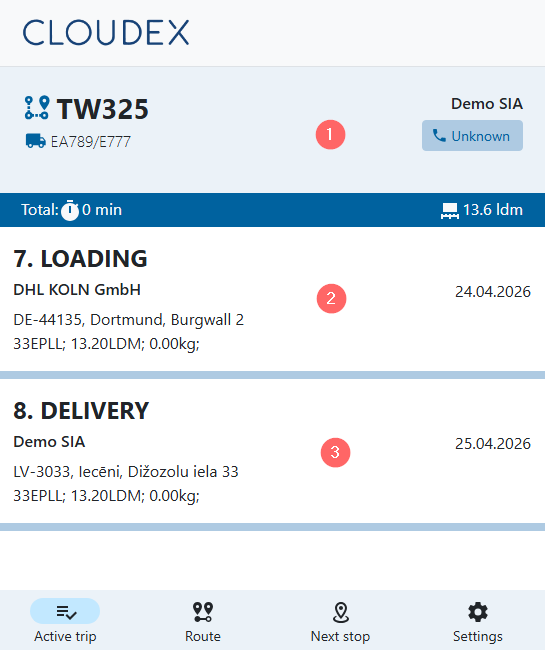
3. Working with an Active Trip
1. Additional Functions
- Refresh list
- Open trips
- Settings
- Log out
2. If necessary, call the trip manager or the responsible contact person.
3. Loading Location
- Information about the current loading location
- Date and GPS coordinates
- Phone number of the contact person
4. Delivery Location
- Information about the current loading location
- Date and GPS coordinates
- Phone number of the contact person
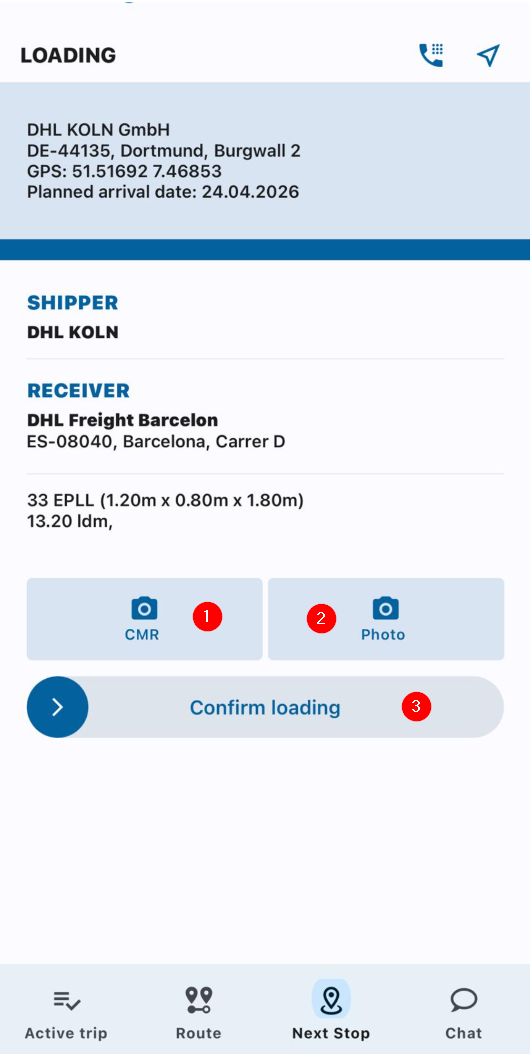
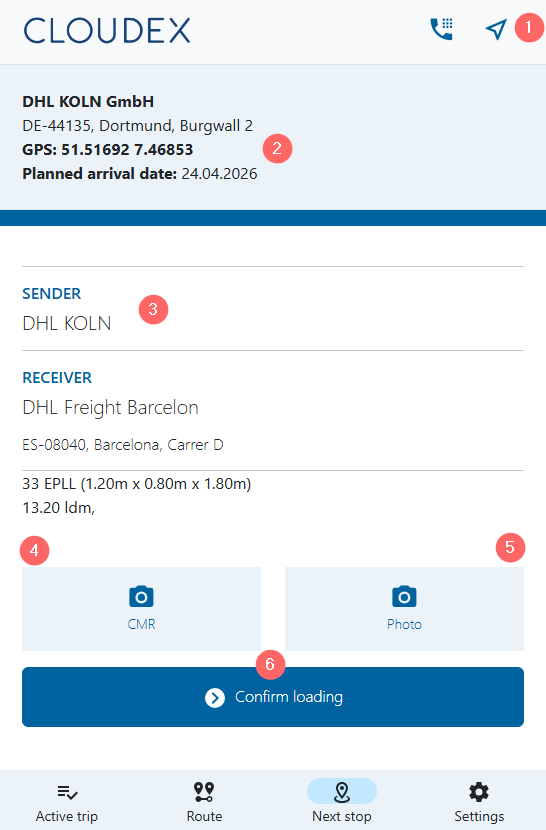
4. Adding Files
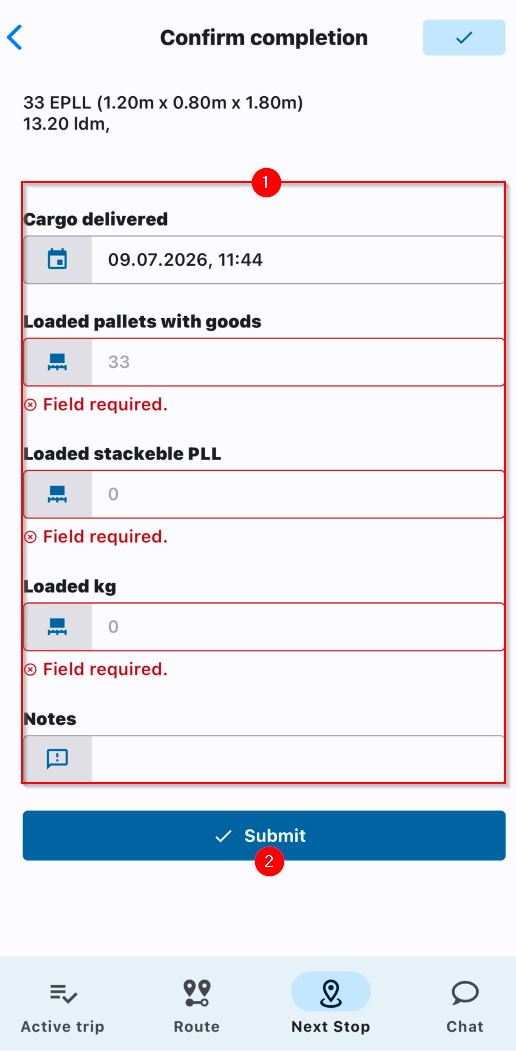
5. Confirming Cargo Loading / Submit
How to use Driver Web App
1. Open the Link
Open the link you received from your manager via WhatsApp.

2. Working with an Active Trip
3. Confirming Cargo Loading
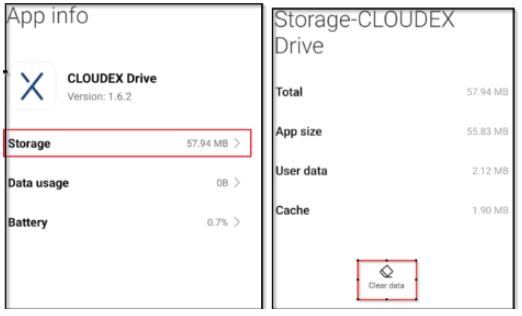
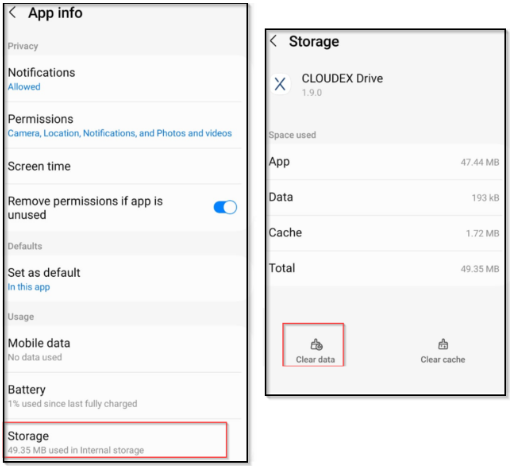
How to clear Cache & Storage
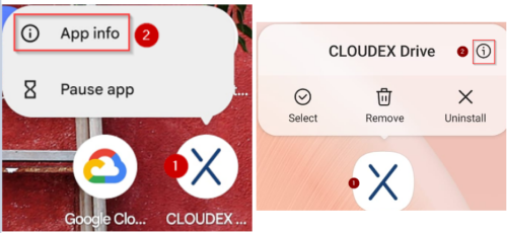
(1) Finger press the "CLOUDEX drive" icon for 1 second (2) and then select "App info"
Options for how it could look
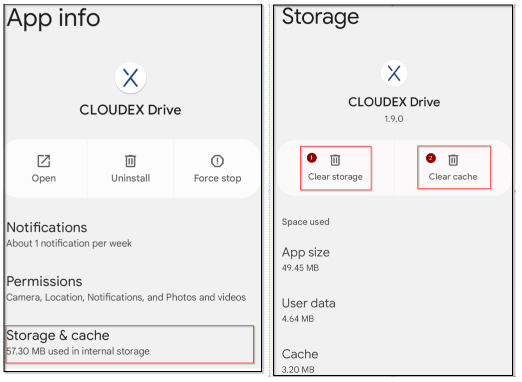
(1) Click on storage and cache
Options for how it could look
(2) Clear storage (2) Clear cache
(1) Click on storage
(2) Click clear data
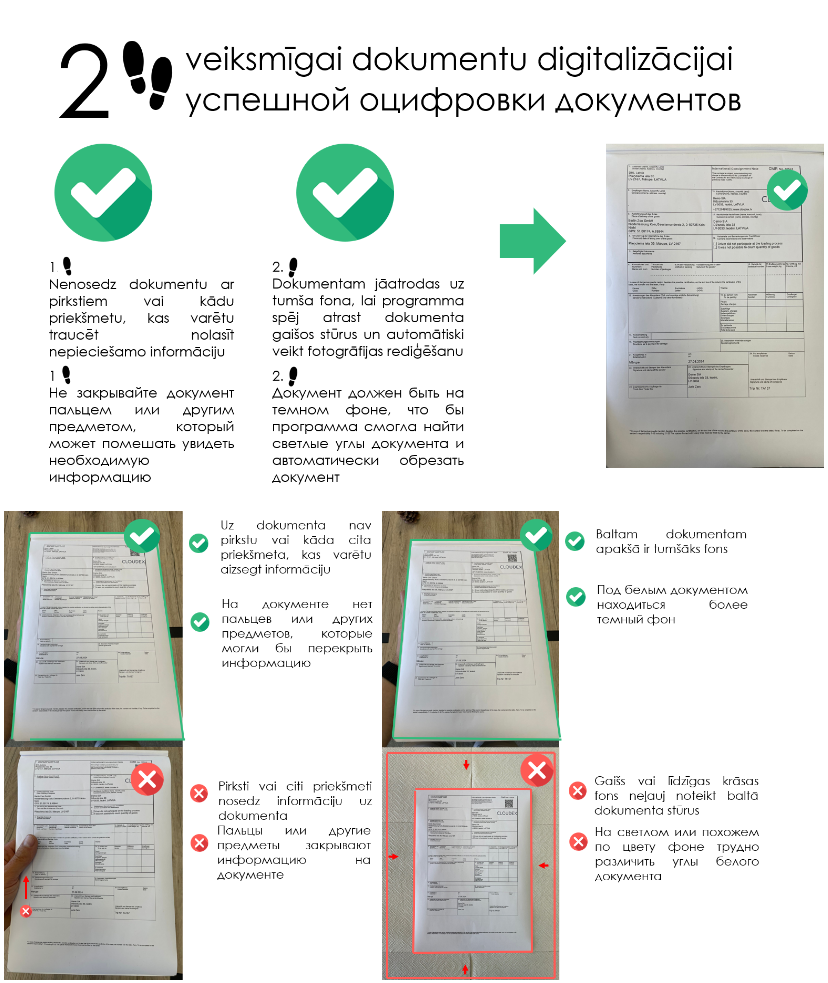
How to take picture of Documents
How to Upgrade Cloudex Drive to the Latest Version
- Open the Google Play Store.

Find and open the Google Play Store app from your app list. - Search for Cloudex Drive.
In the search bar at the top, type "Cloudex Drive" and press Search or Enter.

- Select the Cloudex Drive app.

- Check for available updates.
If an update is available, you will see an Update button instead of the Open button. Tap Update to begin the update process. - Wait for the update to download and install.
The Google Play Store will automatically download and install the latest version. You can monitor the progress in the Play Store. - Open the updated app.
Once the update is complete, tap Open to launch the latest version of Cloudex Drive.


