How do I unlock a locked order?
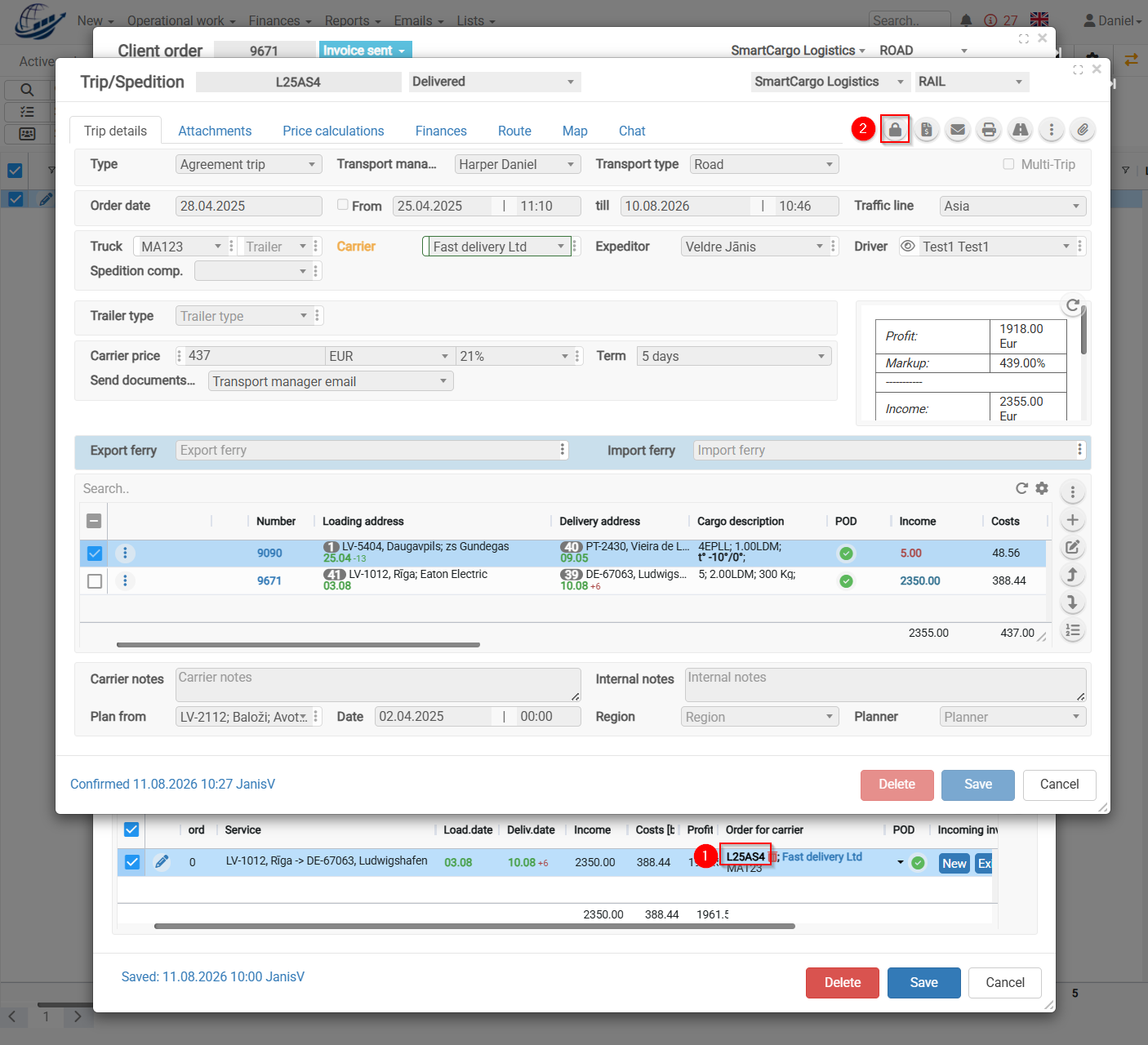
When it is necessary to unlock an order, the following conditions must be met: the user must have the appropriate permissions to do so, and the following steps must be performed: trip must be unlocked, then the order must be saved and reopened. After that, the information in the order can be edited.
-
Click on the trip number to open the Trip/Spedition form.
-
Click the Lock icon to unlock and open the trip.
-
Close and reopen the Order. You can then change the order information.
Additional:
There is a configuration option that provides additional security. Once the invoice has been generated, all three locking steps are activated.
To make changes, you need to unlock the invoice, unlock the trip, close and reopen the Order.