# How do I unlock a locked order?
When it is necessary to unlock an order, the following conditions must be met: the user must have the appropriate permissions to do so, and the following steps must be performed: trip must be unlocked, then the order must be saved and reopened. After that, the information in the order can be edited.
1. Click on the trip **number** to open the Trip/Spedition form.
2. Click the **Lock** icon to unlock and open the trip.
3. **Close and reopen the Order**. You can then change the order information.
[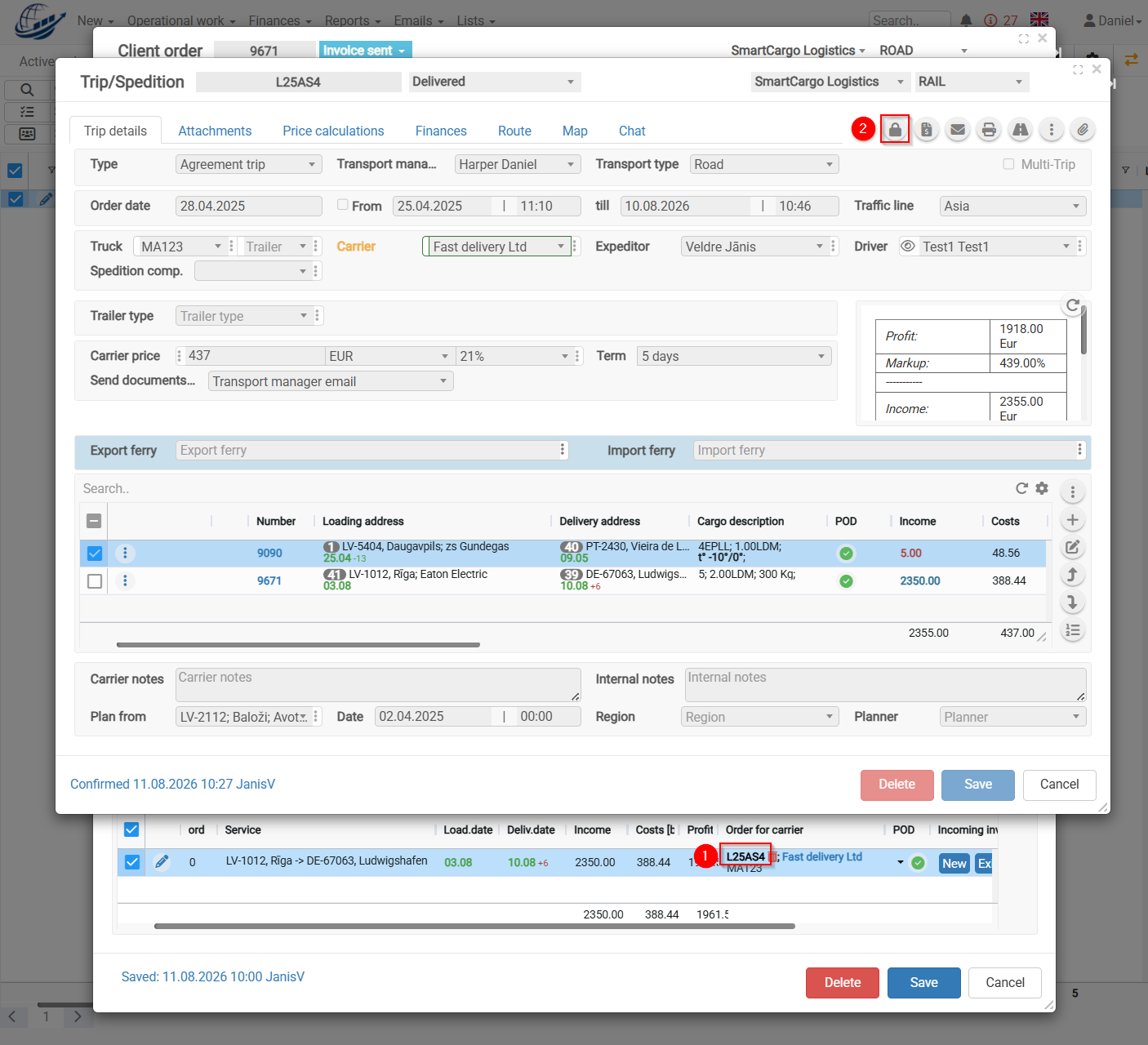](https://help.cloudex.app/uploads/images/gallery/2026-08/Nb2image.png)
Additional:
There is a configuration option that provides additional security. Once the invoice has been generated, all three locking steps are activated.
To make changes, you need to **unlock the invoice, unlock the trip, close and reopen the Order**.