How to Add Multiple Loading or Delivery Addresses – Multibooking?
Multibooking is used when a single customer order includes multiple pickup or delivery addresses.
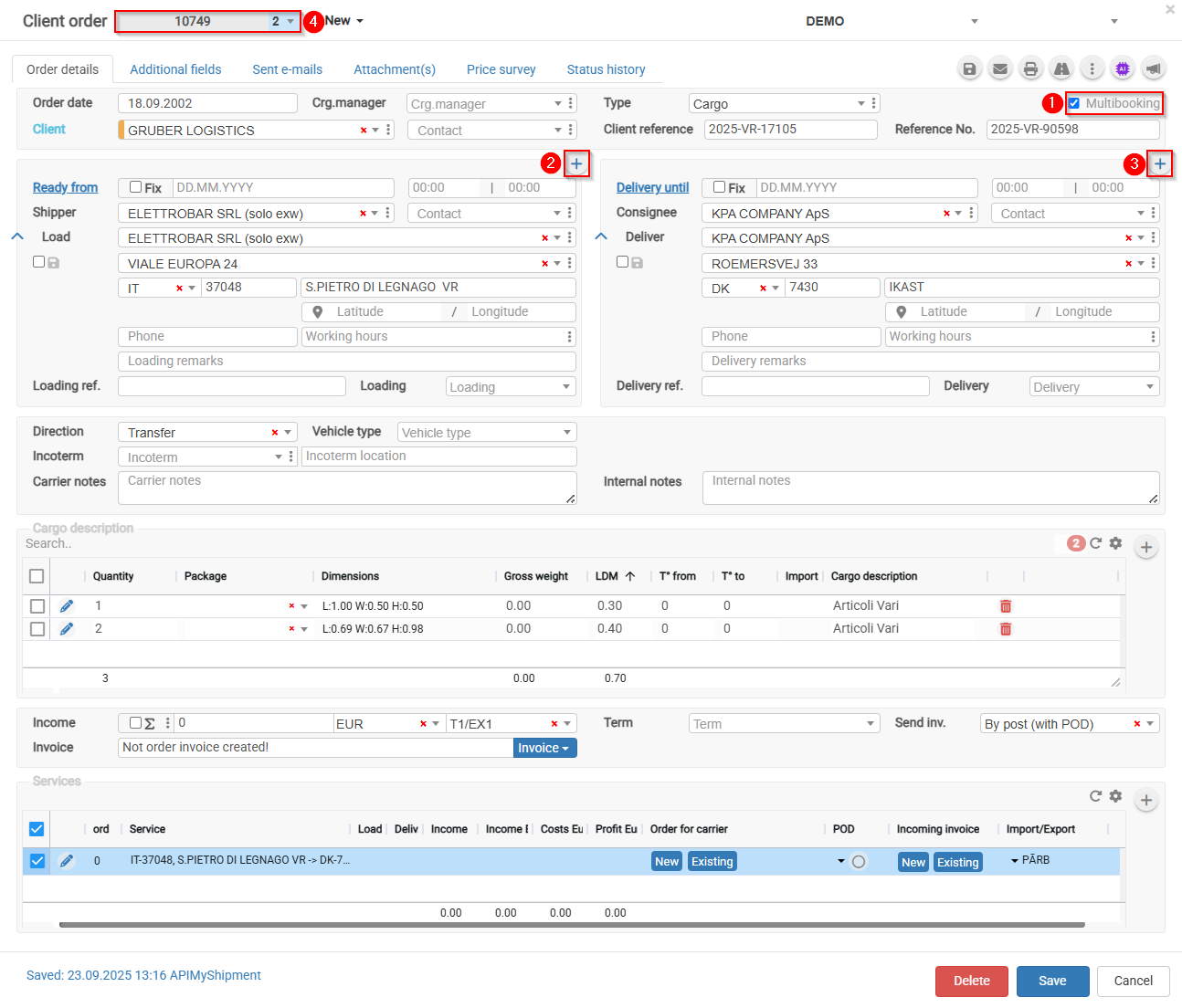
Form path: Client order → Multibooking → Loading/Delivery address sections → Order sub-number
- Select the Multibooking checkbox.

- Click the
 icon in the Loading section to add another loading address.
 - Click the icon in the Delivery section to add another delivery addresses.
- The order number will be assigned a sub-number.
 allows you to switch between multibooking order parts.