How to change the loading and delivery sequence in a trip?
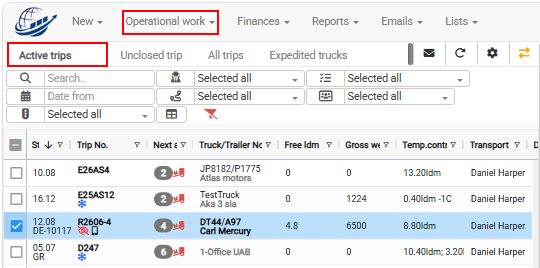
- Open Operational work → Trips/Speditions → Active trips.
- Select the required trip from the list on the left.

- Open the Map tab on the right side of the trip planning view.
- Drag and drop the loading or delivery points to change their sequence.
- Check the updated route information in the detail panel.
The route can be shown on the map only if the loading and delivery addresses have correct GPS coordinates.
If the route is not shown correctly, check the GPS coordinates for each loading and delivery address.
You can ask Cloudex TMS team to set GPS coordinates as a mandatory fields
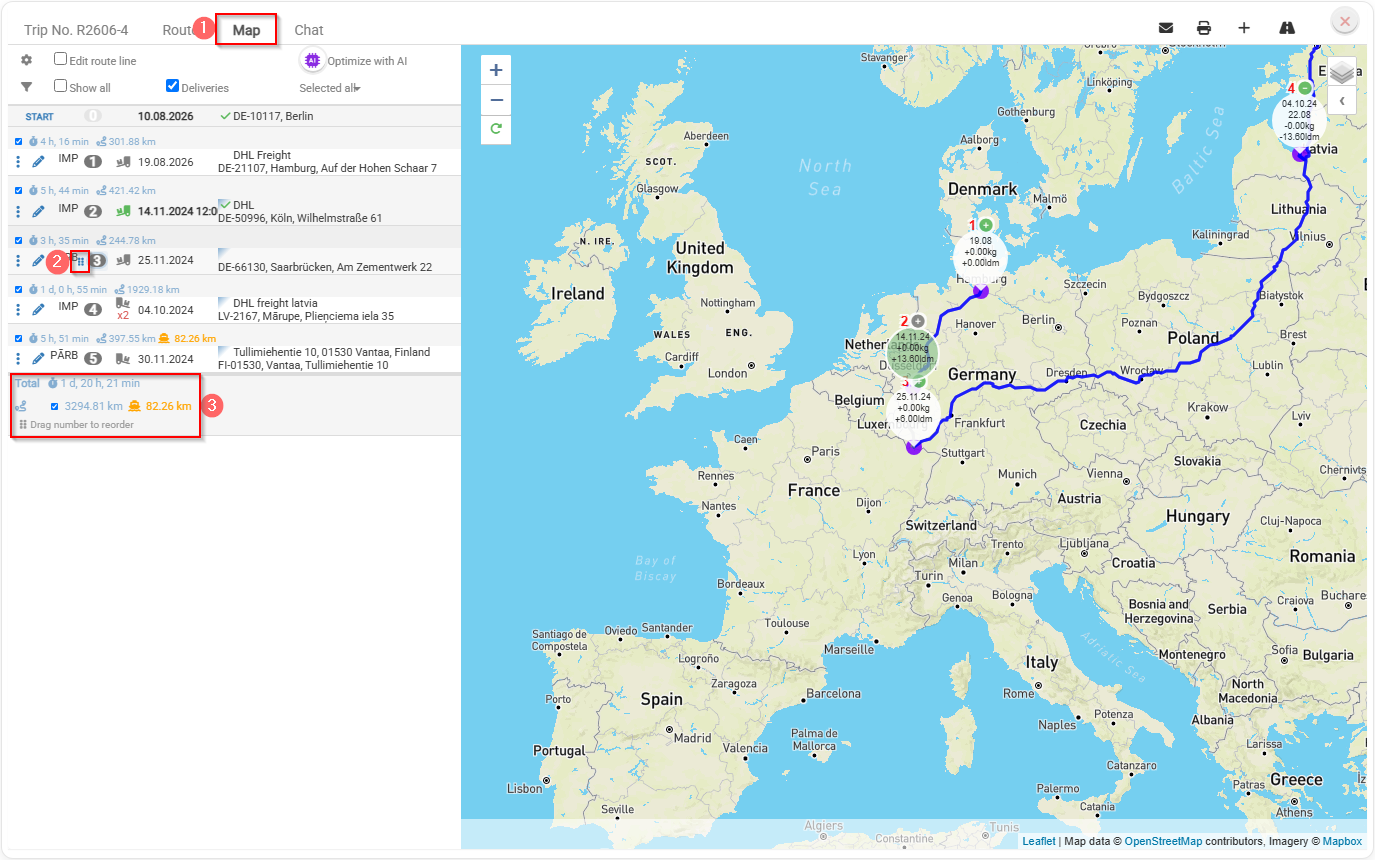
What can you check in the detail panel?
The detail panel shows:
- total travel time;
- total distance in kilometres;
- additional kilometres travelled by ferry.