How to credit an outgoing invoice and create a new corrected invoice?
Use this instruction when an outgoing invoice has already been created, but it must be corrected by creating a credit invoice and then creating a new corrected invoice.
This process includes four main steps:
- Create a credit invoice for the existing invoice.
- Create a new corrected invoice.
- Update the income amount in the client order.
- Clear the debts for the original invoice and the credit invoice.
1. How to create a credit invoice?
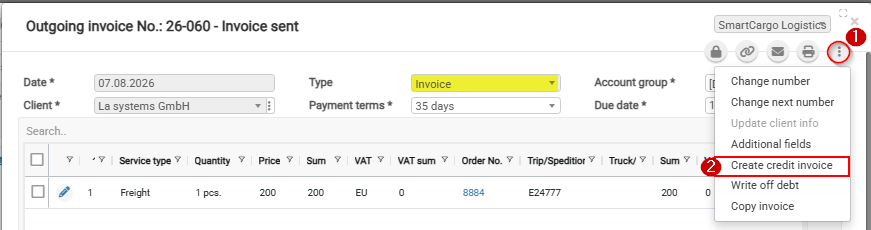
- Open the outgoing invoice that needs to be credited.
- Click the three-dot menu.
- Select Create credit invoice.
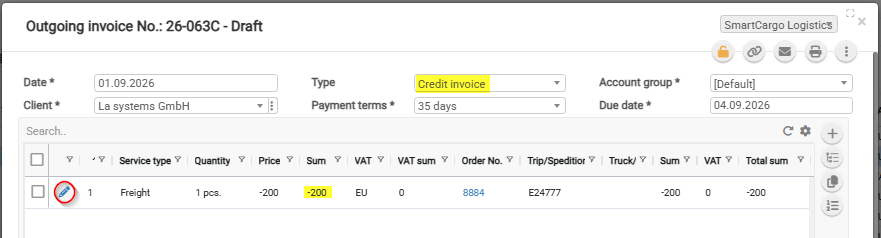
CLOUDEX TMS will create a new invoice with the type Credit invoice. The credit invoice will have the same amount as the original invoice, but with a minus value.
If you only need to credit part of the invoice amount, click the Edit icon in the invoice content list and change the amount.
2. How to create a new corrected invoice?
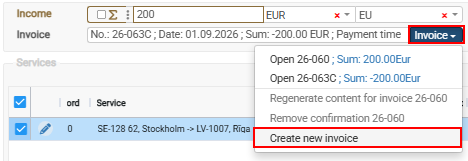
Before creating the new invoice, correct the information in the related Client order that caused the original invoice to be incorrect.
Then create a new outgoing invoice from the same client order.
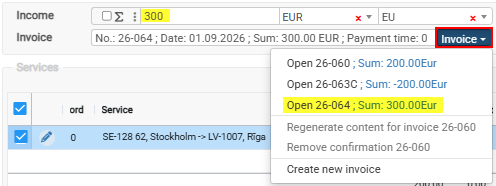
3. How to update the income amount in the client order?
This is important when the corrected invoice amount is different from the original invoice amount.
4. How to clear the debts for the original invoice and credit invoice?
After the credit invoice is created, clear the debts for both:
- the original outgoing invoice;
- the credit invoice.
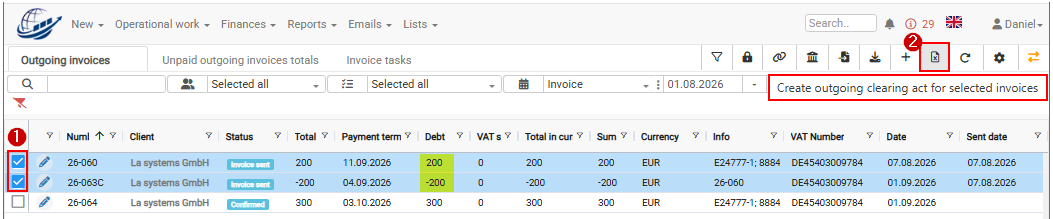
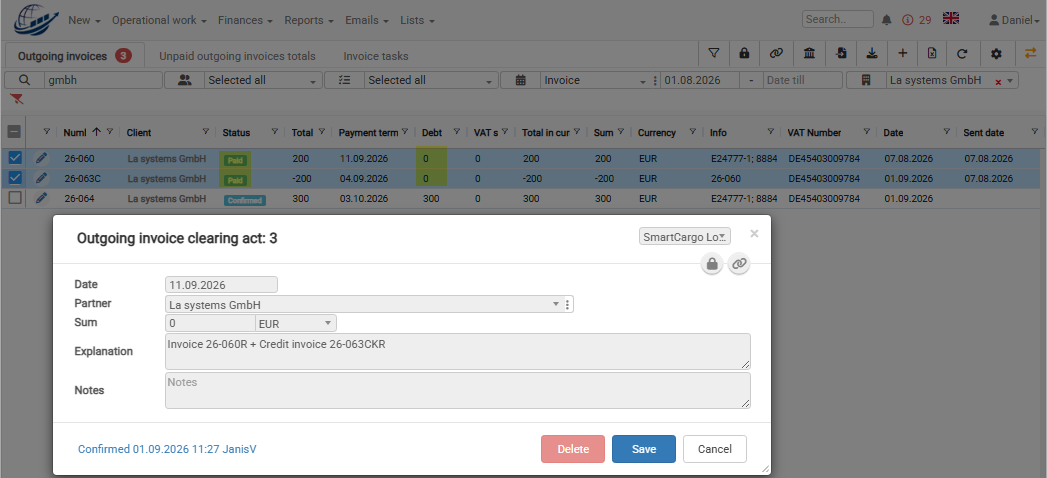
Create an Outgoing invoice clearing act. After the clearing act is created, the debts for both invoices will be cleared and both invoice statuses will be changed to Paid.
Common mistakes
- The client order is not corrected before creating the new invoice.
- The credit invoice amount is not adjusted when only part of the invoice should be credited.
- The income amount in the client order is not updated after creating the corrected invoice.
- The original invoice and credit invoice debts are not cleared.