How to register an Incoming Invoice?
To register a single invoice for multiple trips at once, you can do so in one of the following ways:
- How to register an Invoice from the Trip Form?
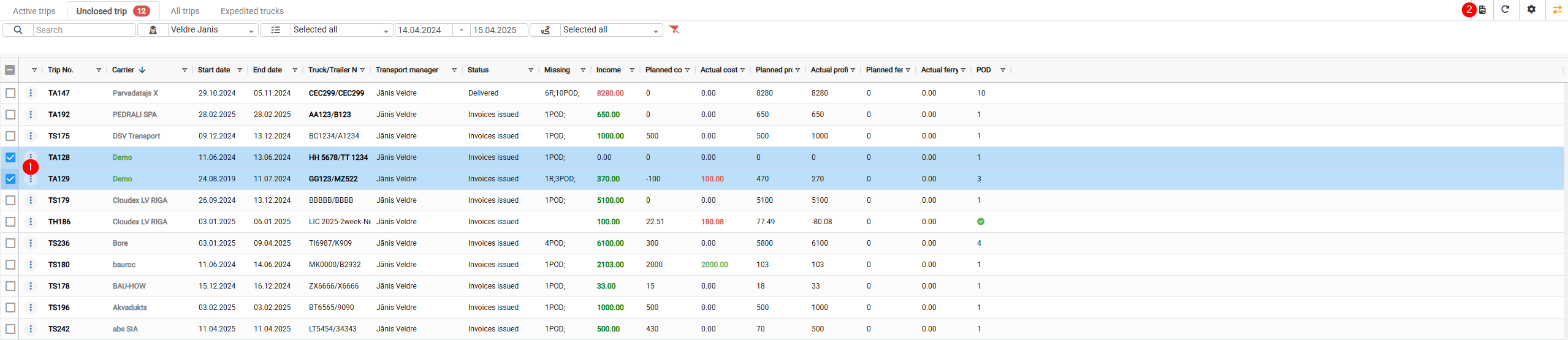
- How to Register an Invoice from the Open Trips window?
How to register an Invoice from the Trip Form?
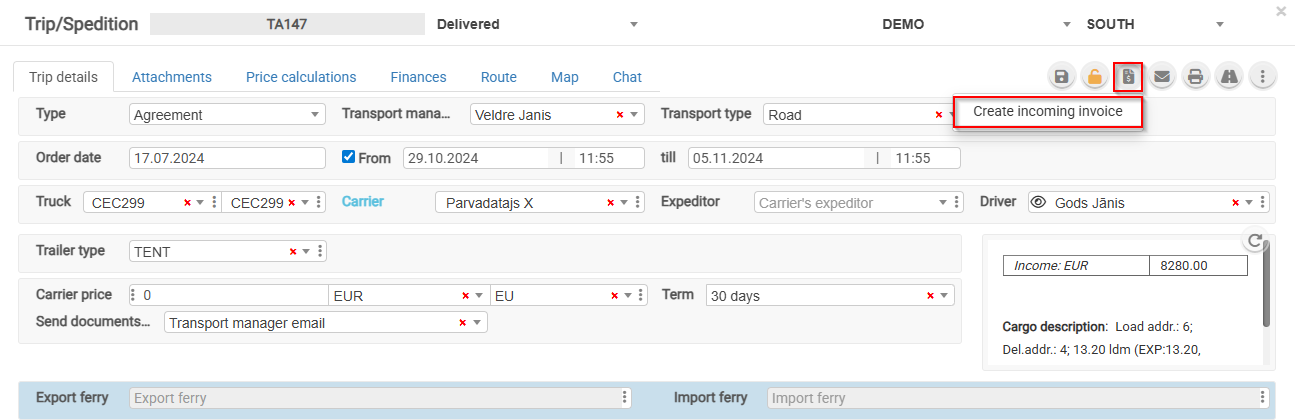
- Open the Trip.
- Click the "Register Invoice" button.
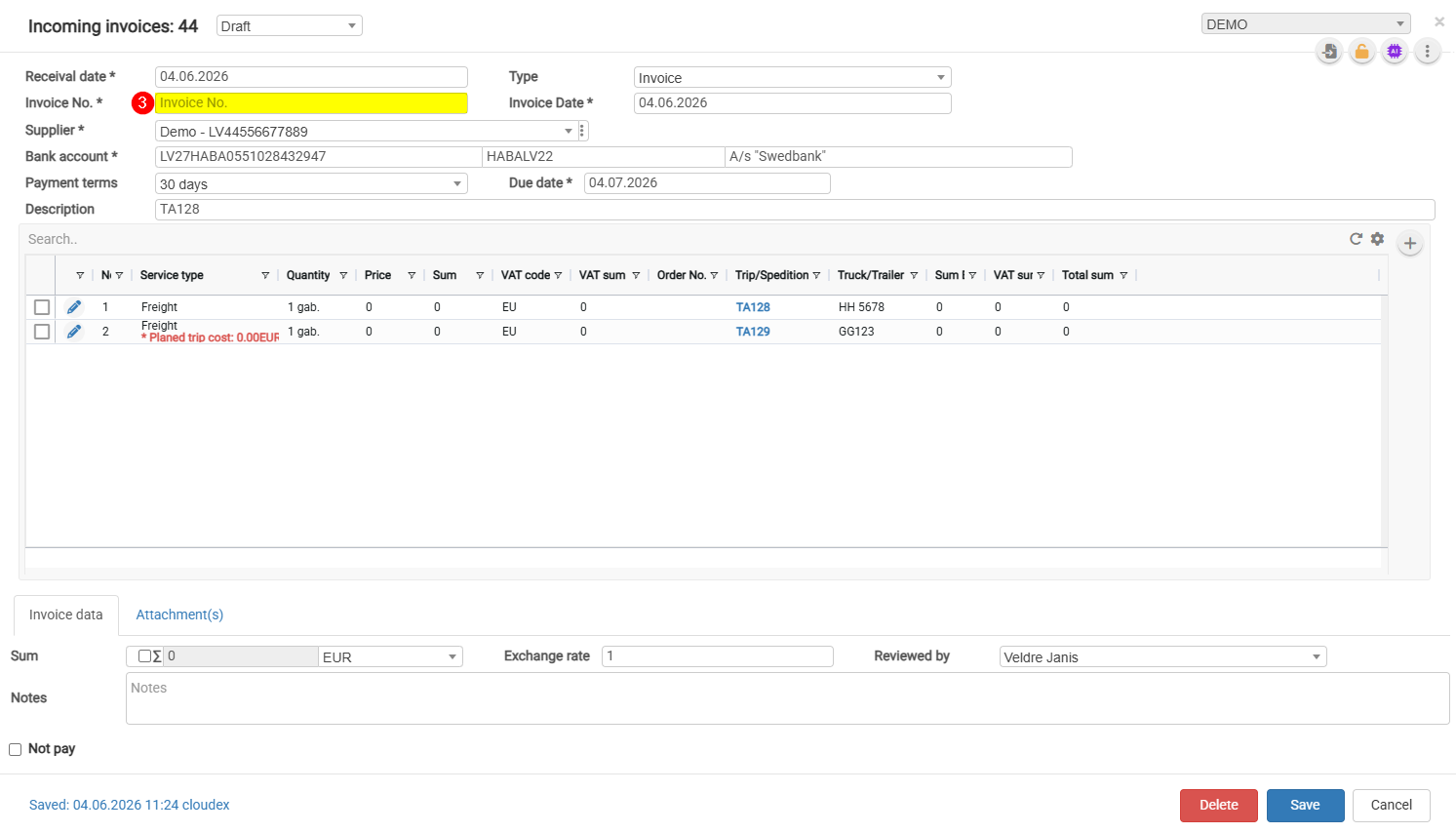
For an unconfirmed invoice, it is possible to add other customer orders.
How to Register an Invoice from the Open Trips window?
- Select the trips for which you want to register an incoming invoice.
- Click the invoice registration icon

- Complete the required fields and click Save.