First steps with "Cloudex Drive"

1. Installing the Driver App
Search for the "Cloudex Drive" app in the Google Play Store (Android) or the App Store (iPhone).

2. Logging In to the App
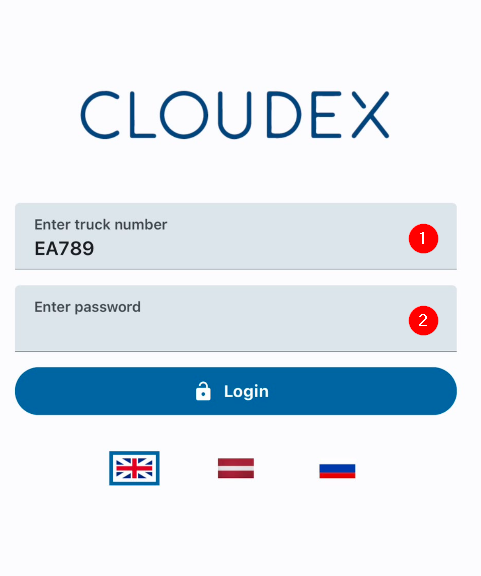
  1. The driver enters the vehicle's license plate number.
  2. Enter the password provided by the manager in the vehicle's profile.

image.pngimage.png


3. Working with an Active Trip

1. Additional Functions
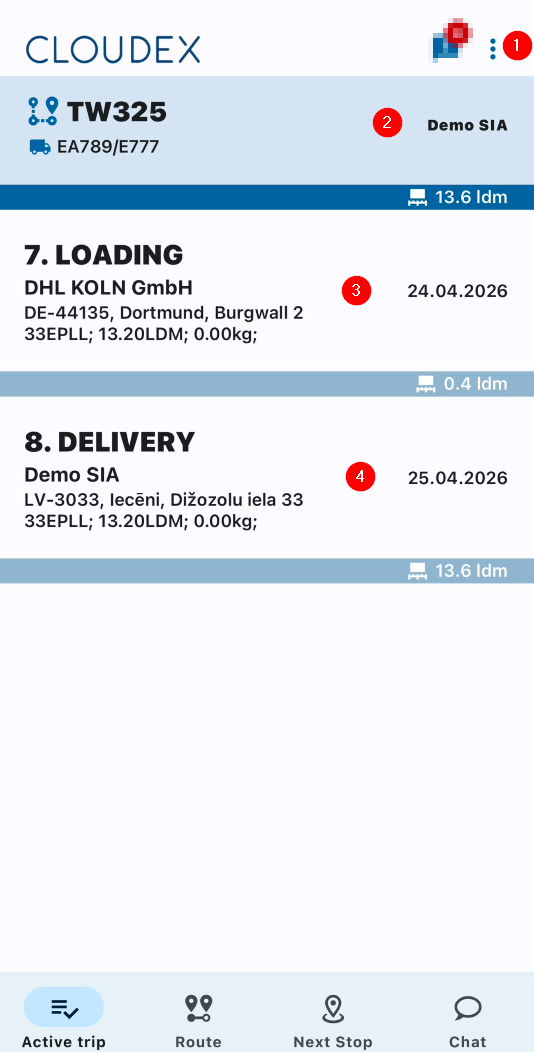
    • Refresh list
Open trips Settings Log out

2. If necessary, call the trip manager or the responsible contact person.

3. Loading Location

  • Information about the current loading location
  • Date and GPS coordinates
  • Phone number of the contact person

4. Delivery Location
Additional Functions

  • RefreshInformation listabout the current loading location
  • OpenDate tripsand GPS coordinates
  • Settings
Phone Lognumber outof the contact person If necessary, call the trip manager or the responsible contact person.

image.png

2024-06-26 20_12_49-aktivie reisi.png

4. Adding Files

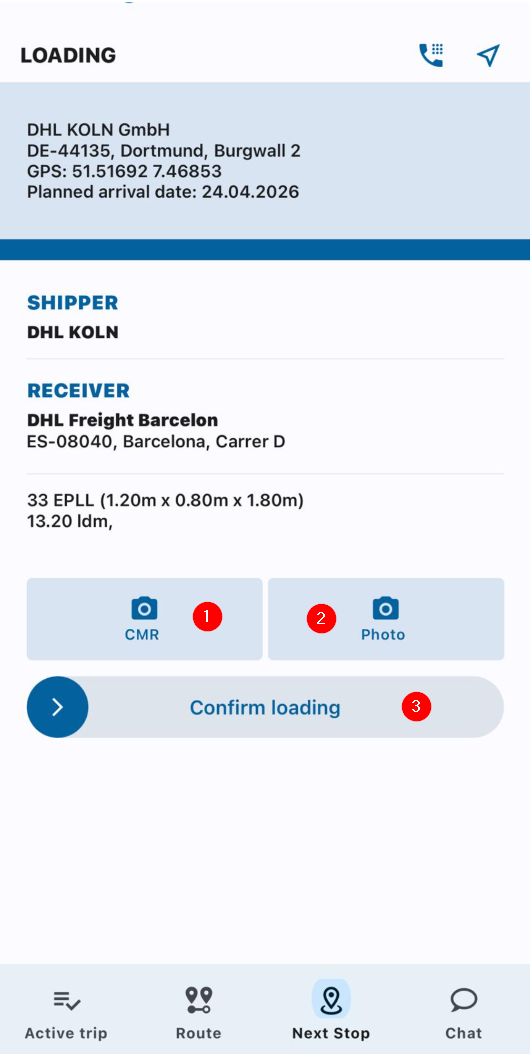
  1. Attach a CMR document by taking a photo or uploading it from your phone's gallery.
  2. Attach additional photos by selecting them from your phone's gallery or taking new ones with the camera.
  3. Press the "Confirm Loading" button to confirm that the cargo has been loaded.

pievienotimage.png

failus.jpg


5. Confirming Cargo Loading / Submit

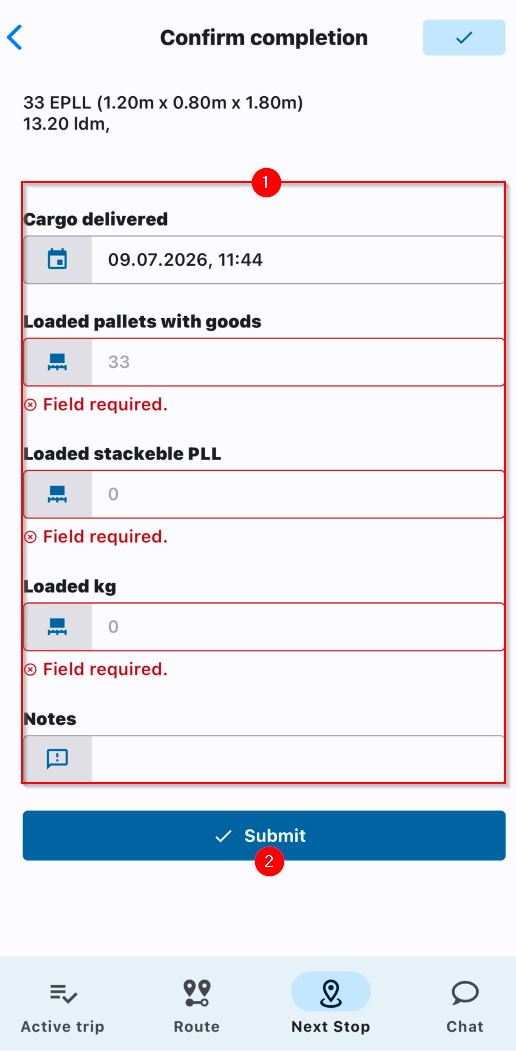
  1. Complete the required fields before submitting the status.
  2. Press the "Submit" button.

2024-06-27image.png

09_33_42-ieniegt.png