How to Change the Trip loading and delivery sequence
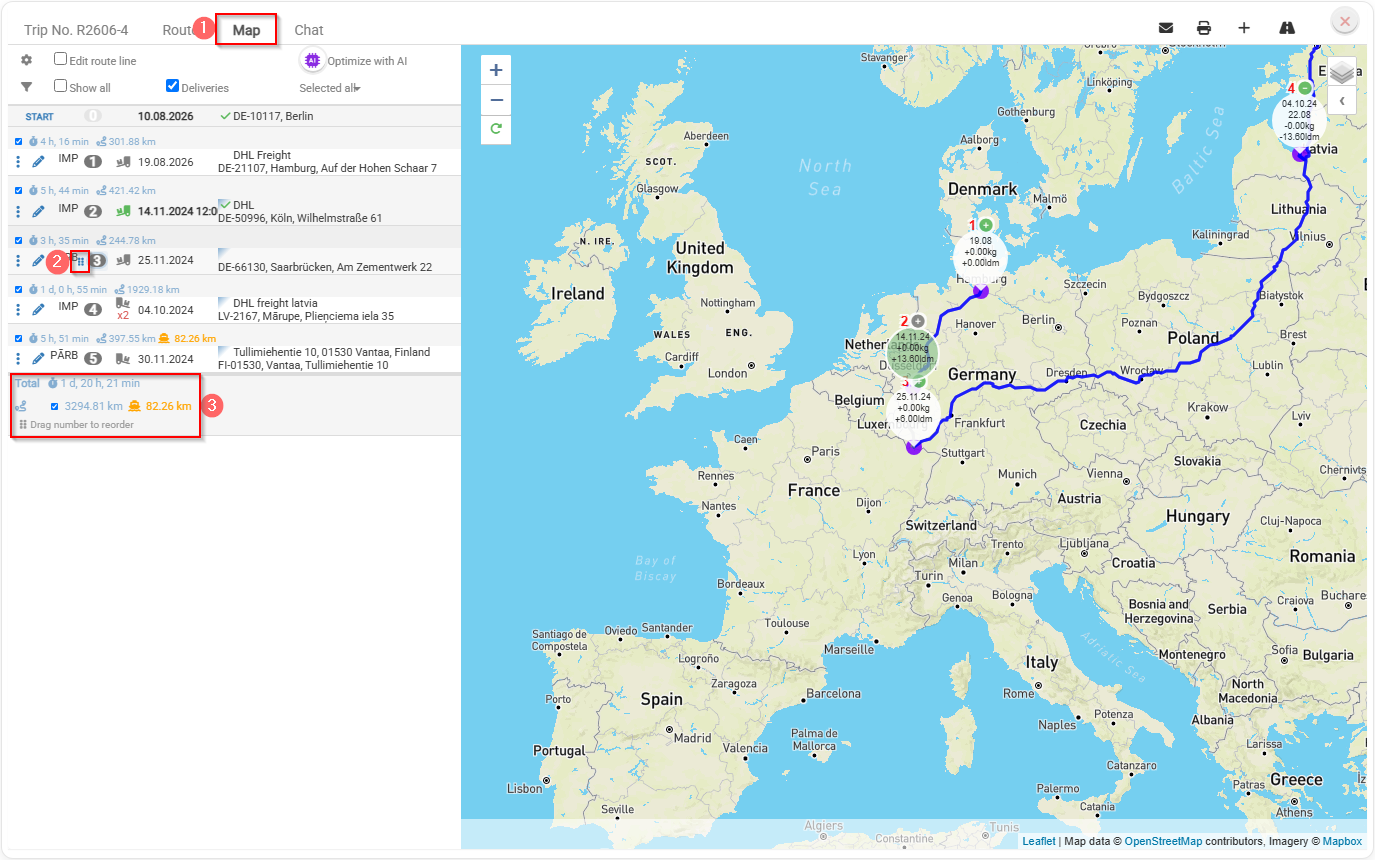
Choose the trip in left side menu you need to change loading and delivery sequence
- In reight side choose Map tab where you can change the order of the sequence by dragging and dropping.
- You need to hold on
 than drag to change the sequence order.
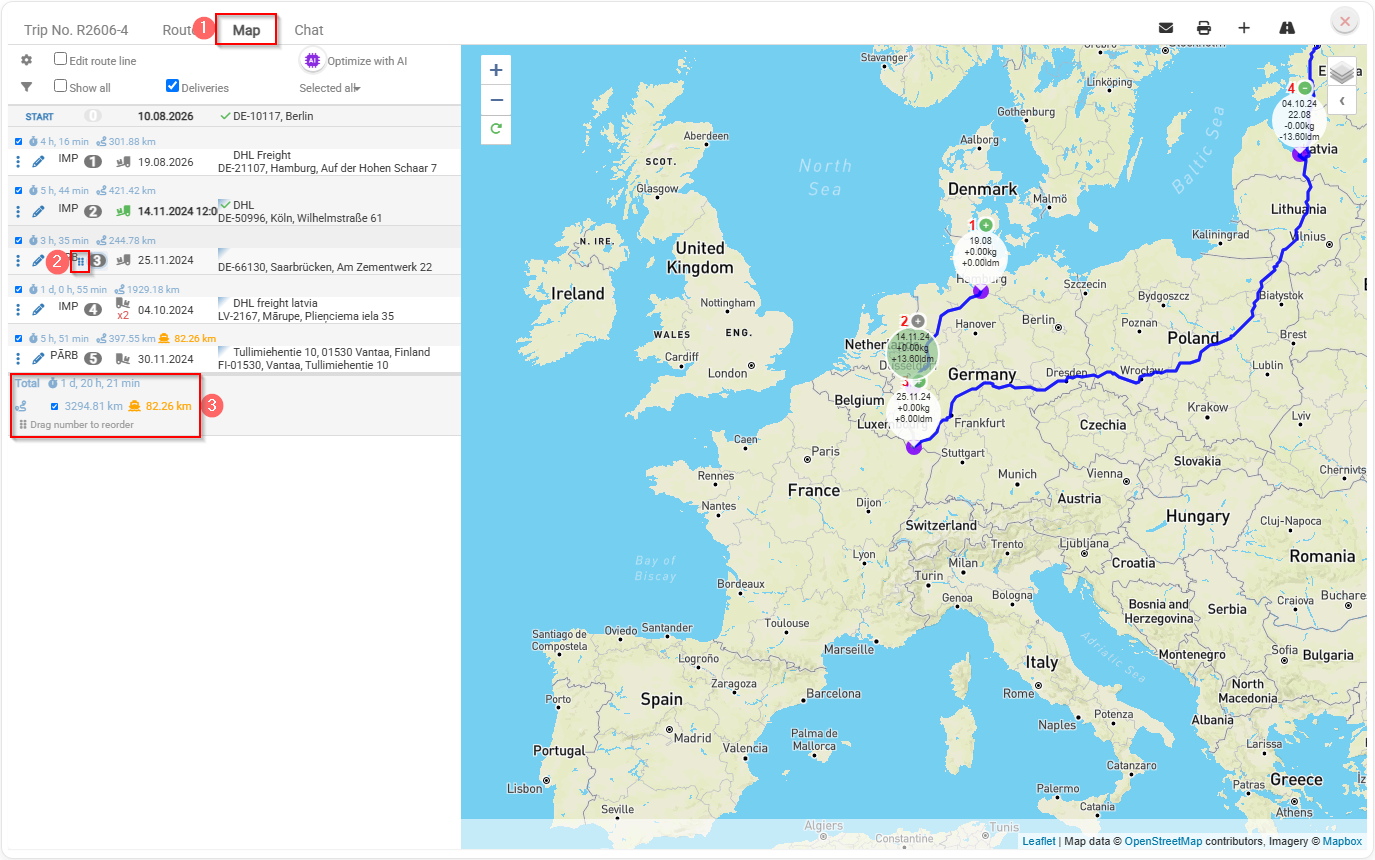
- A detail panel where you can see the total travel time for the trip, the total distance in kilometers, and the additional kilometers traveled by ferry.
Key benefits
- Easier route planning – quickly change the stop sequence by dragging and dropping points on the map.
- Saves time – no need to manually rebuild or re-enter the route.
- Better overview – the detail panel clearly shows total travel time and distance.
- Faster decision-making – easily compare different stop sequences and choose the most efficient route.
- Better ferry visibility – see how many additional kilometers are traveled by ferry.
- Improved user experience – an interactive map and clear trip summary make route planning more intuitive.