How to change the loading and delivery sequence in a trip?
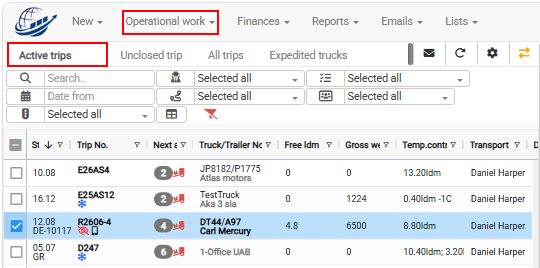
Navigation path: Operational work -→ Trips/Speditions -→ Active trips
Choose
Open Operational work → Trips/Speditions → Active trips.
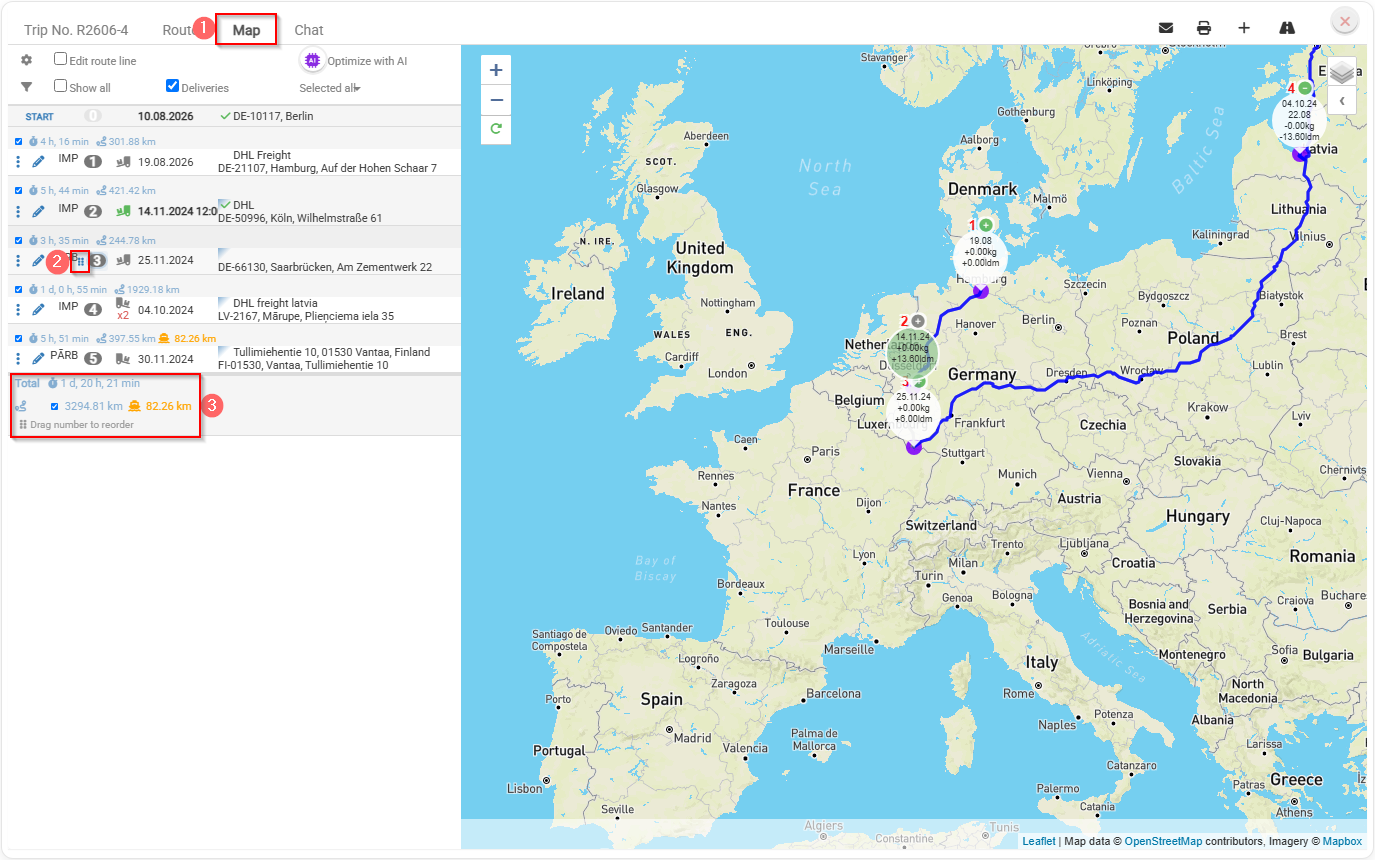
Select the required trip from the list on the left.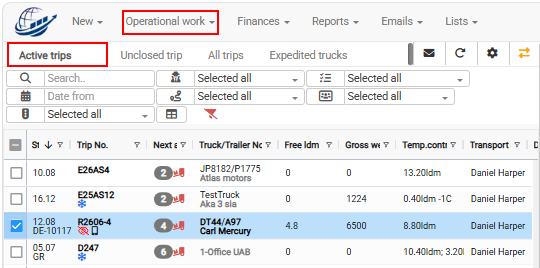 Open the Map tab on the right side of
 the trip
inplanning leftview.
sideDrag menuand youdrop needthe loading or delivery points to change
their sequence.
Check the updated route information in the detail panel.
The route can be shown on the map only if the loading and delivery sequenceaddresses have correct GPS coordinates.
In reight side choose Map tab where you can changeIf the
orderroute ofis not shown correctly, check the
sequence by dragging and dropping.
You need to hold on 
than drag to change the sequence order.
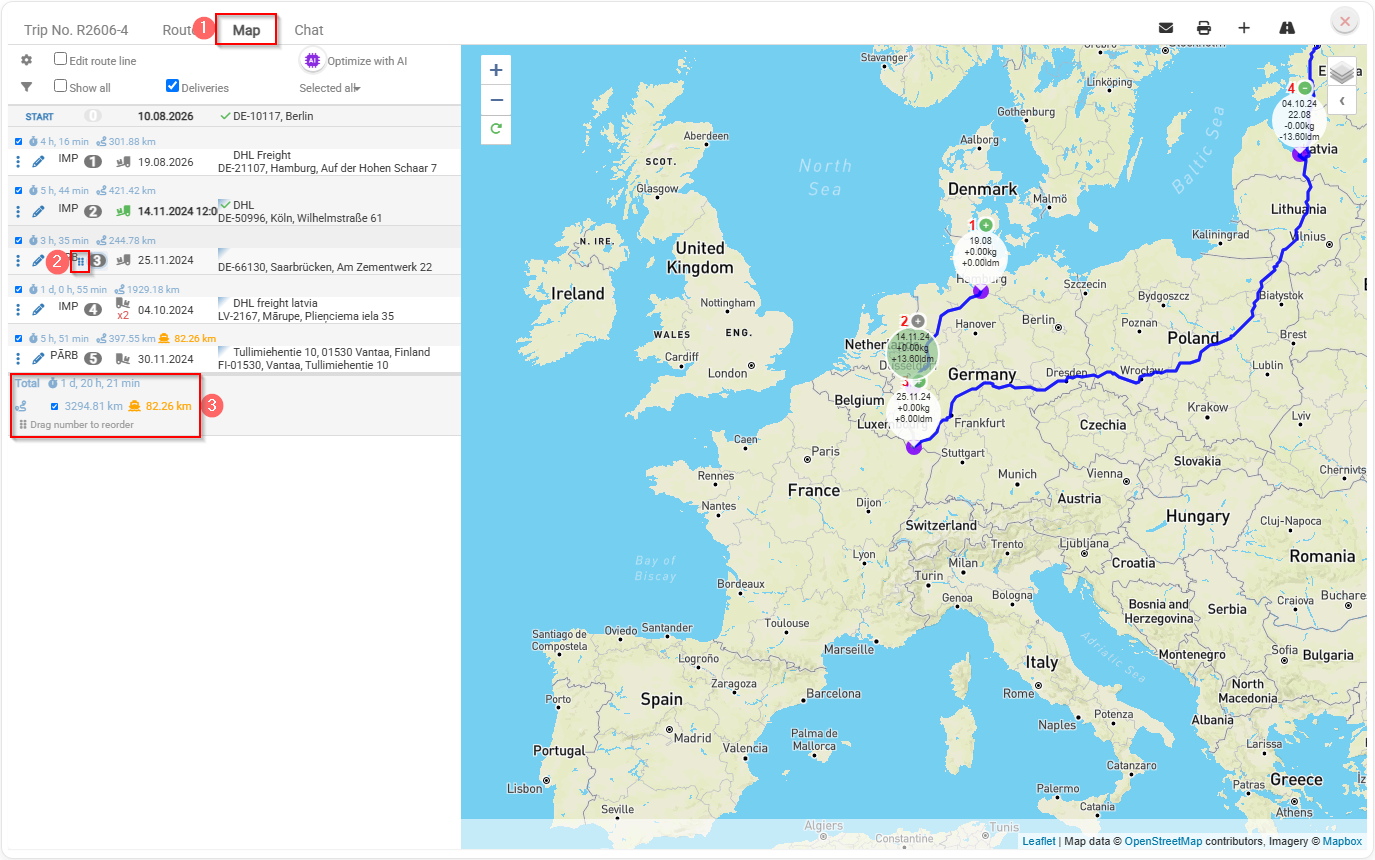
A detail panel where you can see the total travel time for the trip, the total distance in kilometers, and the additional kilometers traveled by ferry.
In order route shows in the map you need to provide correct GPS coordinates for each loading and delivery address.
ClickRelated herearticle:
How learnto more about gettingget easy GPS datadata?
What can you check in the detail panel?
The detail panel shows:
total travel time;
total distance in kilometres;
additional kilometres travelled by ferry.
What can you check in the detail panel?
The detail panel shows:
total travel time;
total distance in kilometres;
additional kilometres travelled by ferry.
Key benefits
- Easier route planning – quickly change the stop sequence by dragging and dropping points on the map.
- Saves time – no need to manually rebuild or re-enter the route.
- Better overview – the detail panel clearly shows total travel time and distance.
- Faster decision-making – easily compare different stop sequences and choose the most efficient route.
- Better ferry visibility – see how many additional kilometers are traveled by ferry.
- Improved user experience – an interactive map and clear trip summary make route planning more intuitive.

 Open the Map tab on the right side of the trip