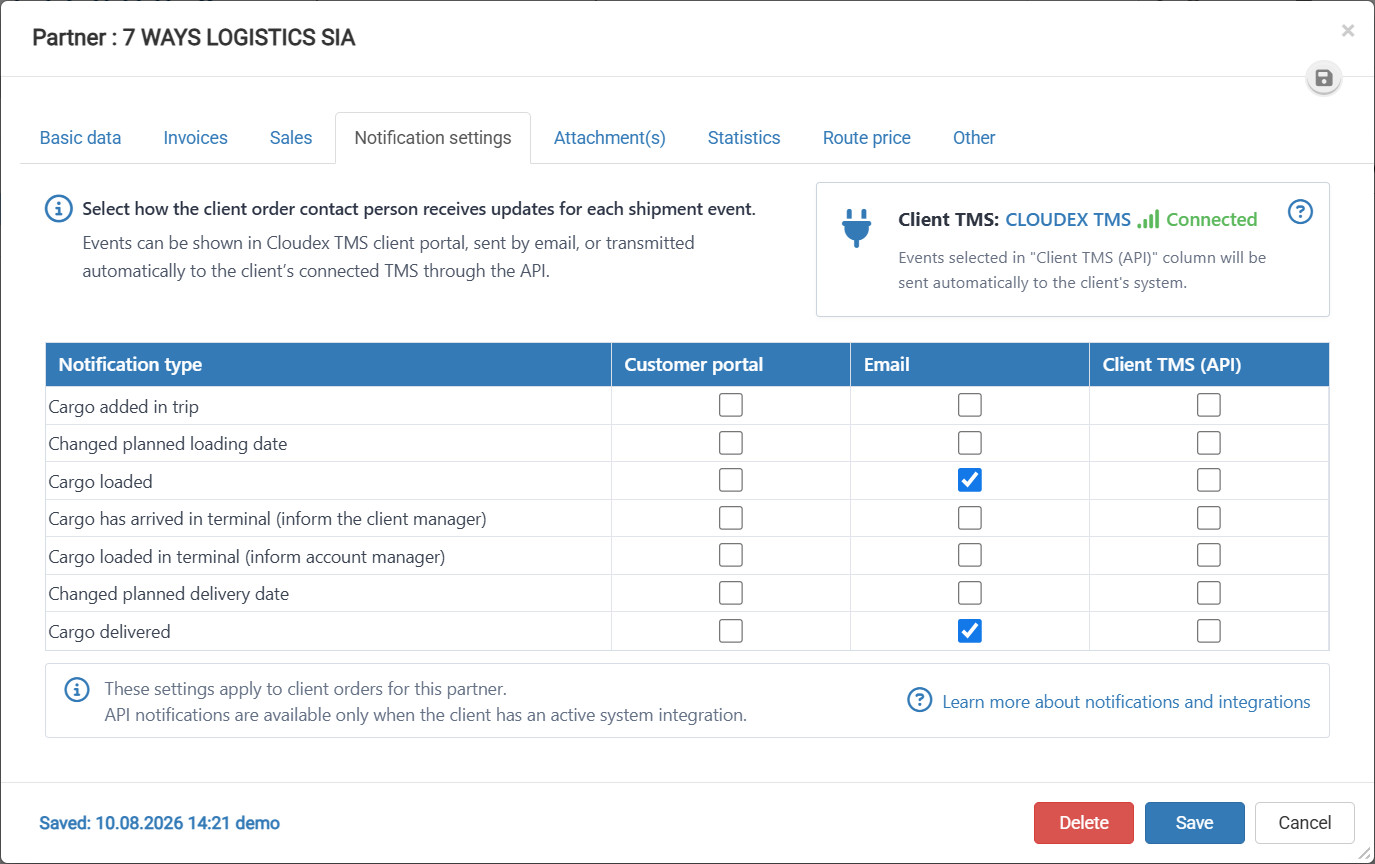
How to Configure Customer Shipment Notifications?
- Open the Partner page.
- Select the Notification settings tab.
- Review the available notification types.
- For each notification type, select the appropriate delivery method:
- Customer portal – sends the notification to the customer portal.
- Email – sends the notification by email.
- Client TMS (API) – sends the notification automatically to the client’s connected TMS through the API.
- Select the required checkboxes for each shipment event.
- Review the selected notification settings to make sure they are correct.
- Click Save to apply the changes.
- If you do not want to save the changes, click Cancel.
There are 3 available options for configuring notifications: