How to connect your bank account with GoCardless?
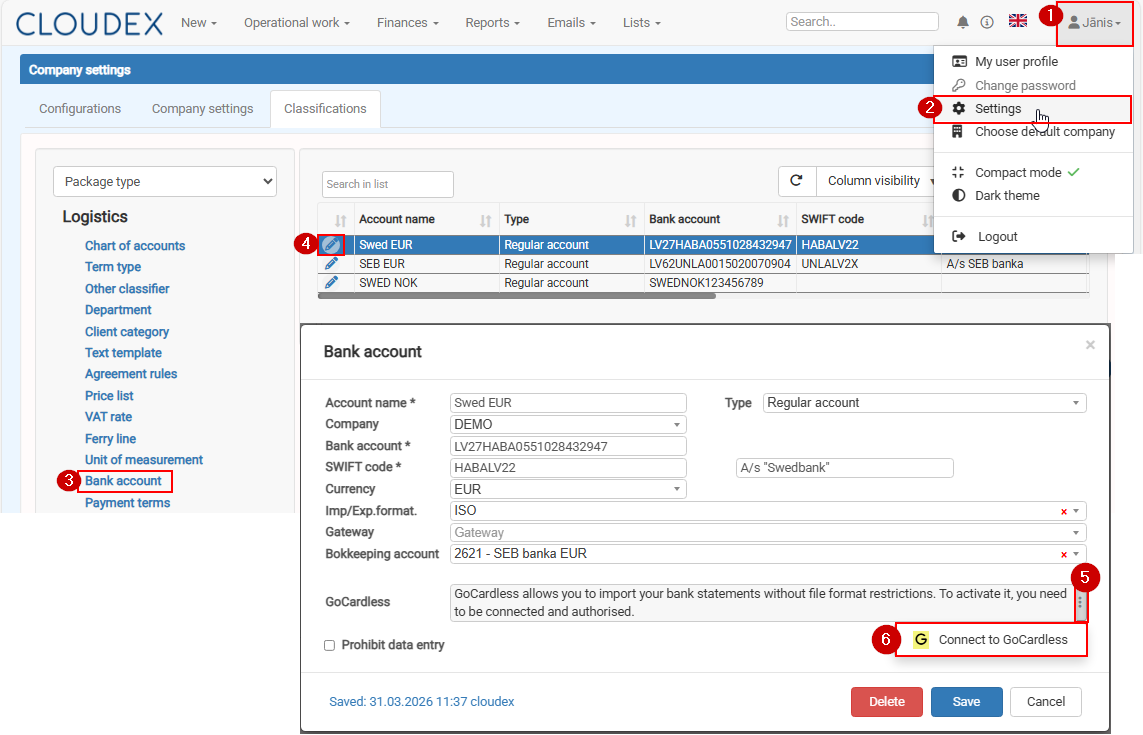
To enable automatic bank statement downloads (up to 3 times per day), you need to connect your bank account with GoCardless.
Please follow the steps below:
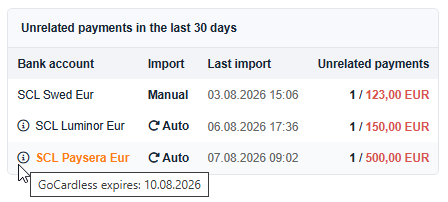
In Cloudex TMS first page/dashboard you can see
1) Import for bank account need to be made Manualy or it is cnfiguredconfigured it imports payments automatically using GoCardless API
2) Last import column shows when the last time payments are imported, maualy or automatically
3) After import payments are related automatically. If some payments could not be related automatically then it shows not related payment count and total unrelated sum
4) click on bank account and last 30 days unrelated payment list will be opened