How to create a new client order?
- How to create a new client order?
- What do the fields in the new client order window mean?
- How to add New client?
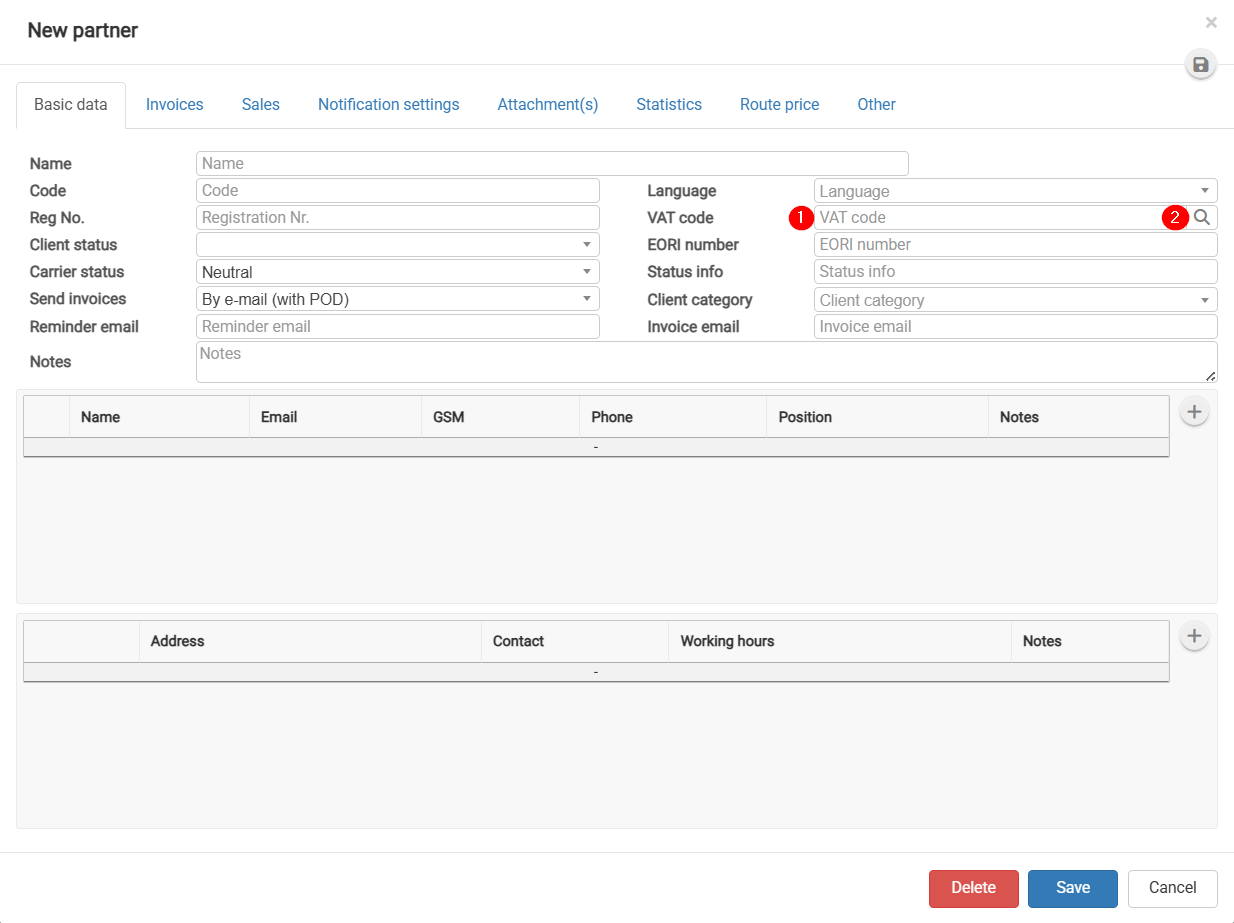
- How to Add a Partner from the EU VAT register?
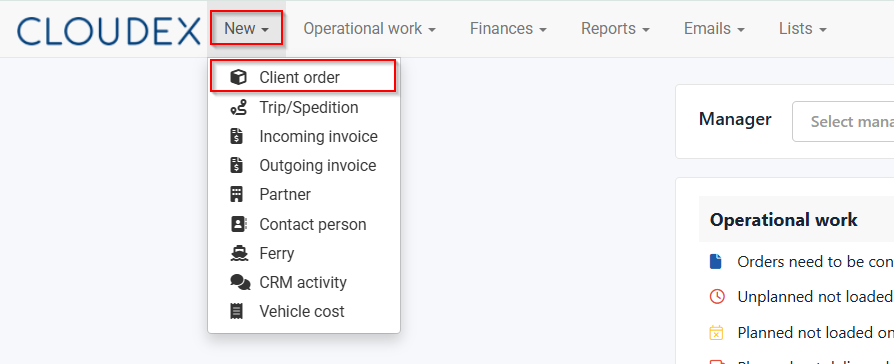
How to create a new client order?
- Click New in the top navigation bar.
- From the additional functions, select Client Order.
Required sequence: New → Client Order. A window will open where you need to enter the order information accordingly.
What do the fields in the new client order window mean?
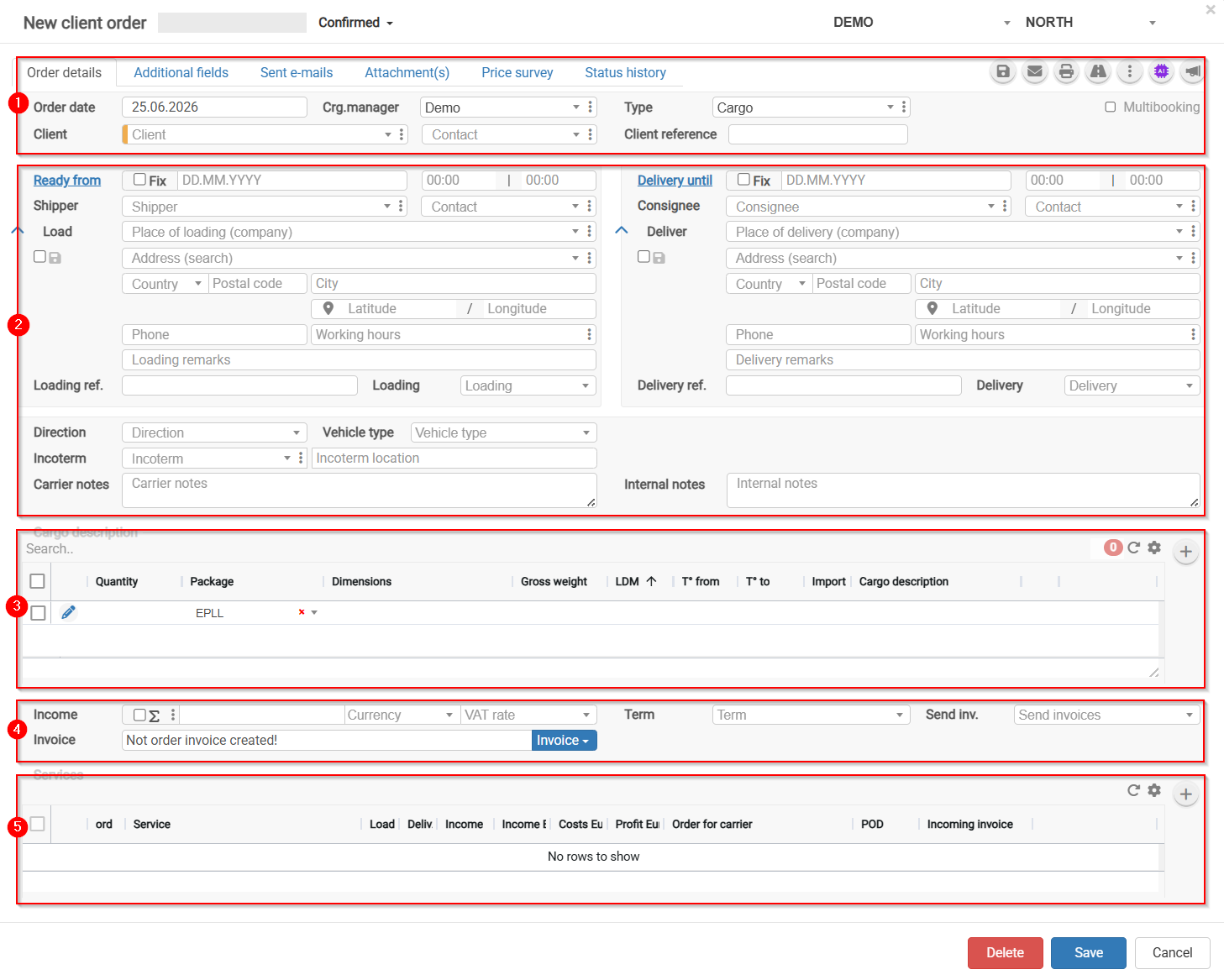
- Client order details
- Client order basic information
- Cargo description
- Revenue section
- Services
How to add New client?
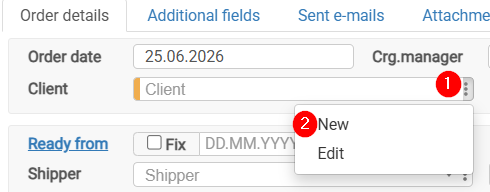
- Click on the three dots to open additional options.
- Click New to open the New partner form.
How to Add a Partner from the EU VAT Register?
- Paste the VAT number.
- Click the button
 to automatically fill in the fields.