
How to create credit invoice
In order to credit existing invoice and and create new invoice there are steps you need to take
- Make credit invoice
- Make new invoice
- Edit total income sum
- Clear credited invoice and its credit invoice debts
1. Make credit invoice
Open invoice you need to credit
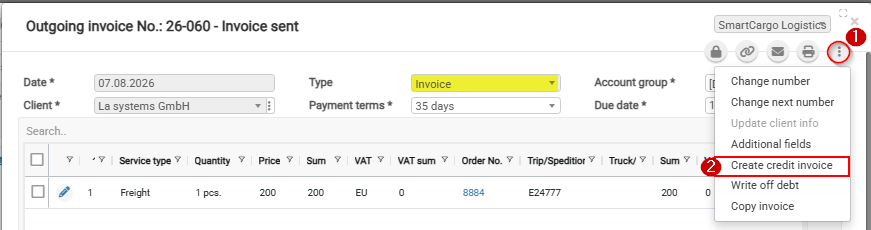
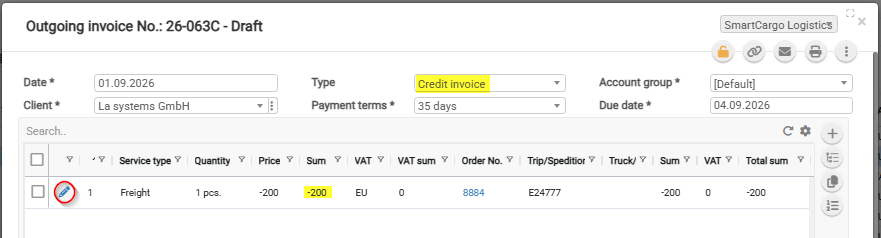
It will make another invoice with Type Credit invoice and the same sum only with - (minus)
If you need to credit different sum then Press Edit (pencil button) in invoice content list and change the sum you need
2. Make new invoice
If you need to write new invoice for Client order you credited invoice, then go to Client order and make from there new invoice
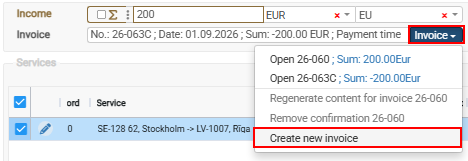
3. Edit total income sum
At the end Client order correct Income sum so that it is total of all Outgoing invoices
4. Clear credited invoice and its credit invoice debts
Clear the debts for Invoice and its credit invoice