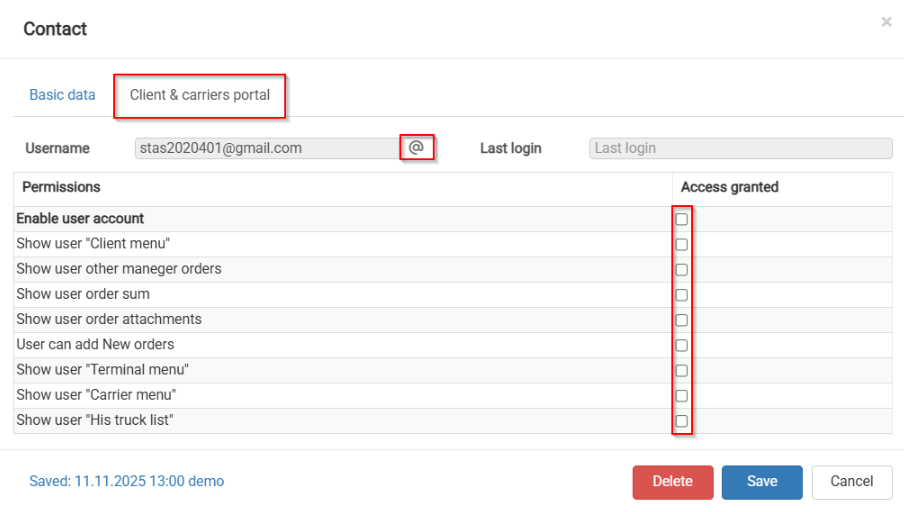
How to give access and rights to Client and Carrier portal
The customer portal can be activated from the customer profile.
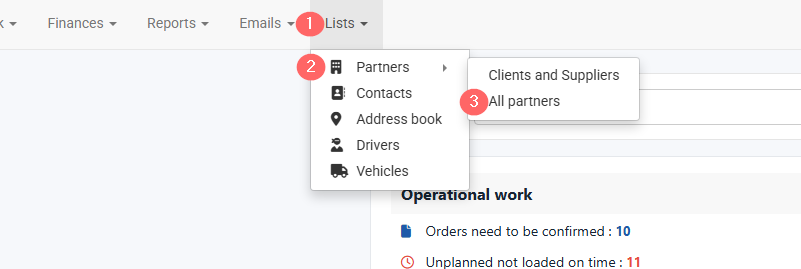
- Open Lists in the top navigation bar.
- Select Partners.
- Click All Partners.
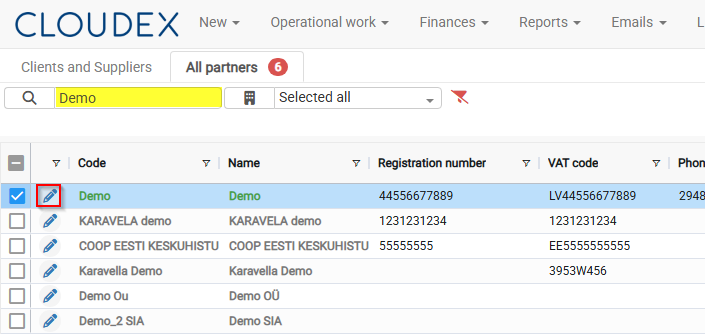
4. Find the required partner.
5. Click the Edit icon .  to open the partner profile.
6. Select the contact who should receive portal access.
7. Press to open Contact info.
- Click Grant Access.
- Configure the required portal permissions.
- Click Save.
Select the manager you want to grant portal access to, then click Grant Access. 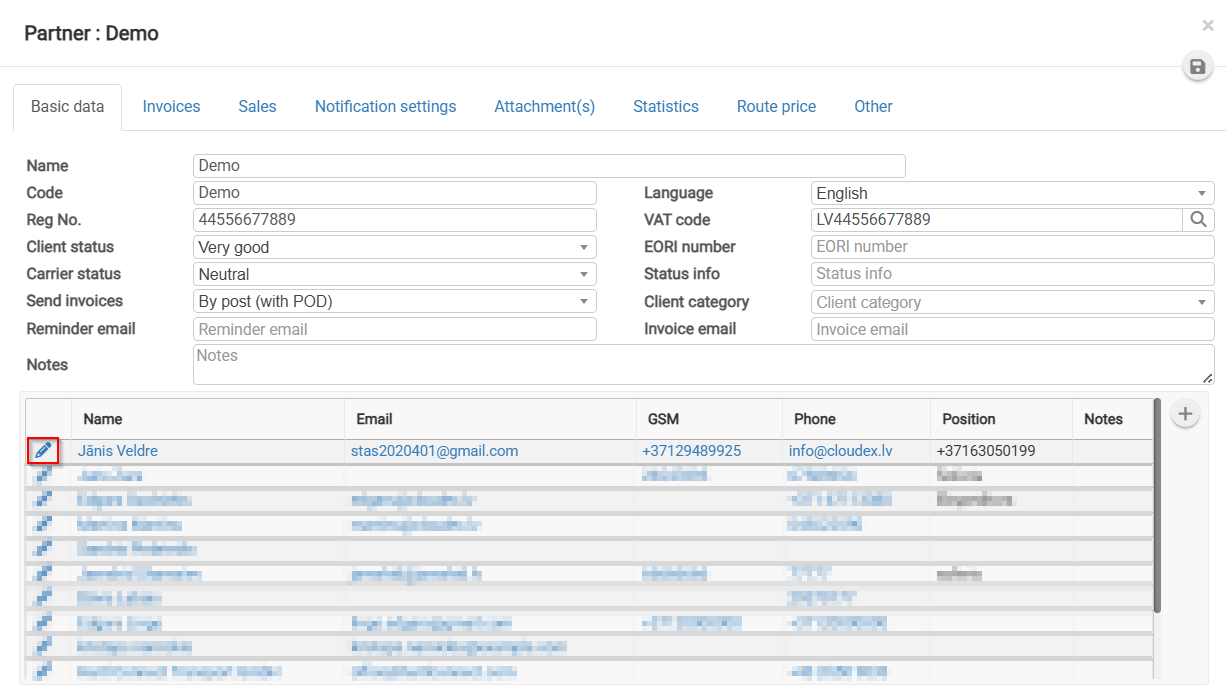
Step 4. Send the invitation
Go to the Clients & Carriers Portal section, review the permissions, and click  .
.