How to give access and rights to Client and Carrier portal and send Invitation for Access
The customer portal can be activated from the customer profile.
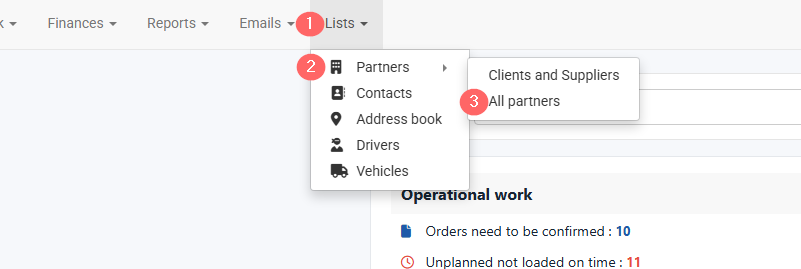
- Open Lists in the top navigation bar.
- Select Partners.
- Click All Partners.
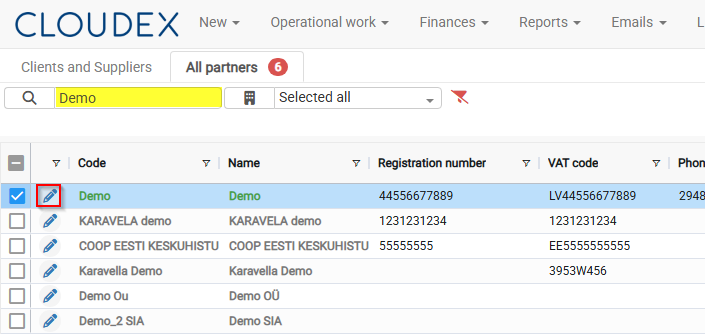
4. Find the required partner.
5. Click the Edit icon .  to open the partner profile.
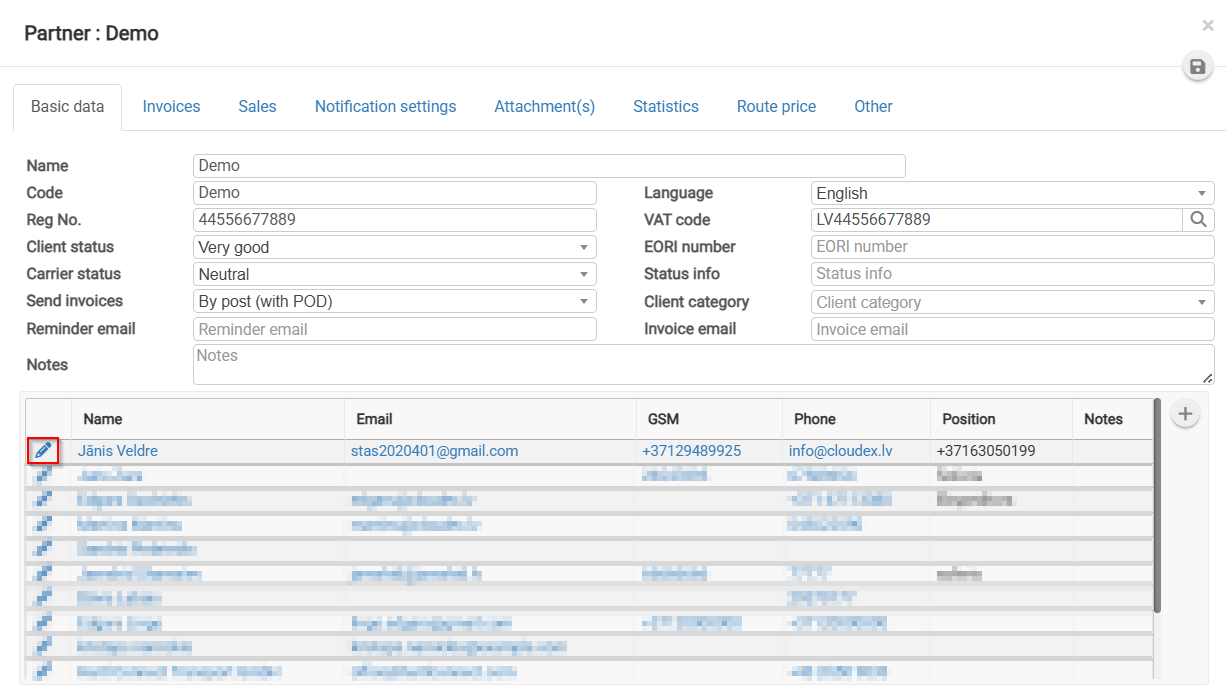
6. Select the manager you want to grant portal access to, then click the Edit icon to open contact.
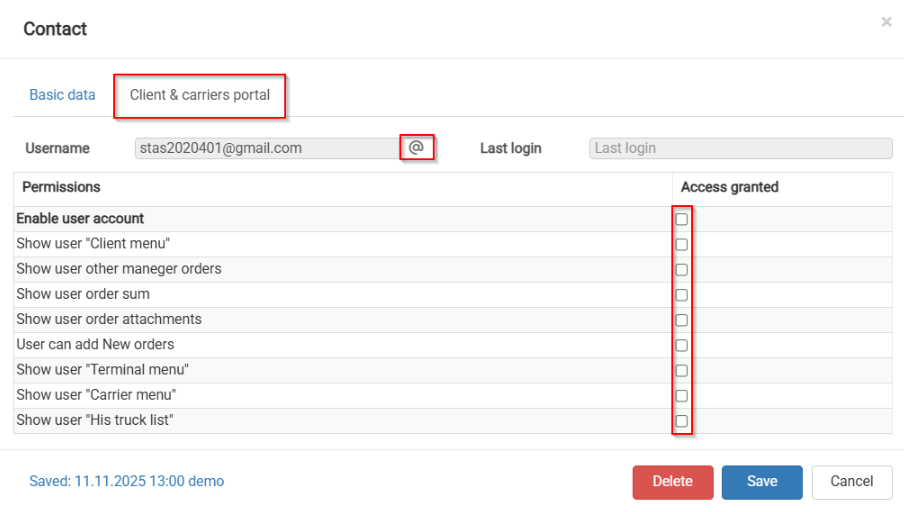
7. Switch from Basic data to the Clients & Carriers Portal section to give Grant Access.
8. Review the permissions, Save and click  to Send the invitation to Client.