
How to pay Incoming invoices
- Open Finances → Incoming invoices.
- In the Payment term filter, enter the payment date.
- CLOUDEX TMS will show incoming invoices that must be paid within the selected payment term.
- Select the invoices you want to pay.
- Click the icon
 - to Make “Outgoing payments” for selected incoming invoices.
 - to
- to 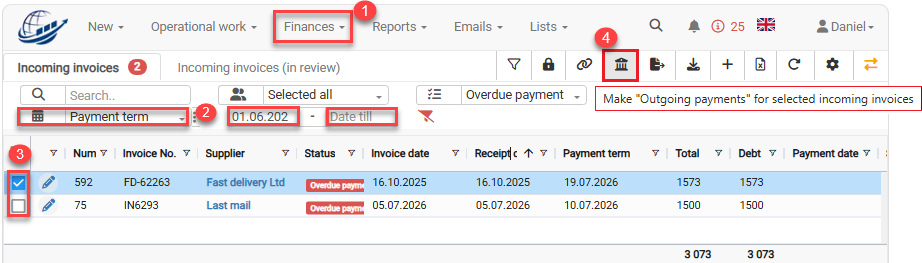
6. When the “Make outgoing payments for selected incoming invoices” window opens select the correct bank account 7. Click the Make payments button.