How to pay Incoming invoices and export payments to Internetbank?
How to pay Incoming invoices?
How to remove an outgoing payment from bank export?
How to export Outgoing payments to Internetbank?How to pay Incoming invoices?
- In the Payment term filter, enter the payment date. CLOUDEX TMS will show incoming invoices that must be paid within the selected payment term.
- Select the invoices you want to pay.
- Click the icon
 - to Make “Outgoing payments” for selected incoming invoices.
 - to
- to 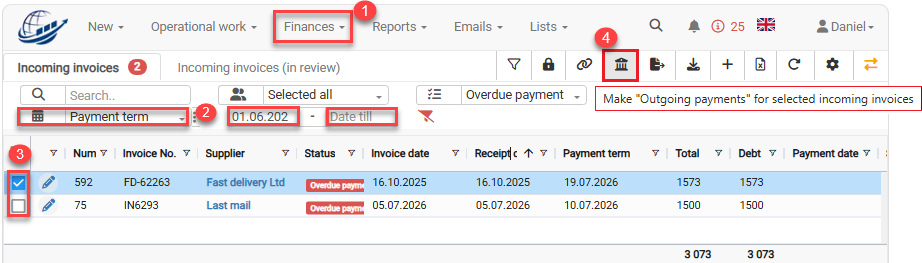
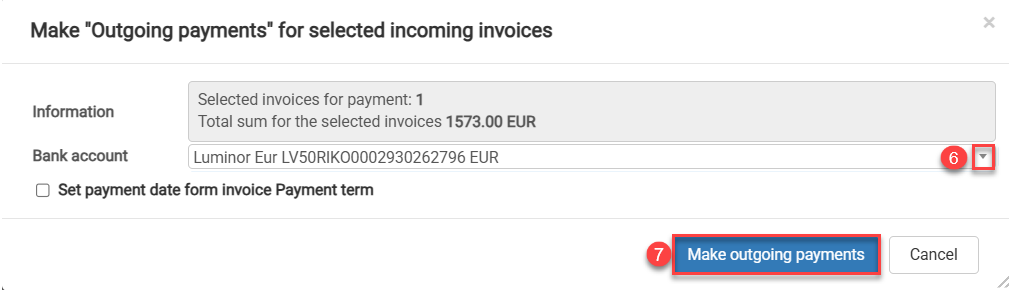
5. When the “Make outgoing payments for selected incoming invoices” window opens, select the correct bank account.
6. Click the Make outgoing payments button to create outgoing payments.