How to pay Incoming invoices?
How to make Incoming invoices?
- In the Payment term filter, enter the payment date. CLOUDEX TMS will show incoming invoices that must be paid within the selected payment term.
- Select the invoices you want to pay.
- Click the icon
 - to Make “Outgoing payments” for selected incoming invoices.
 - to
- to 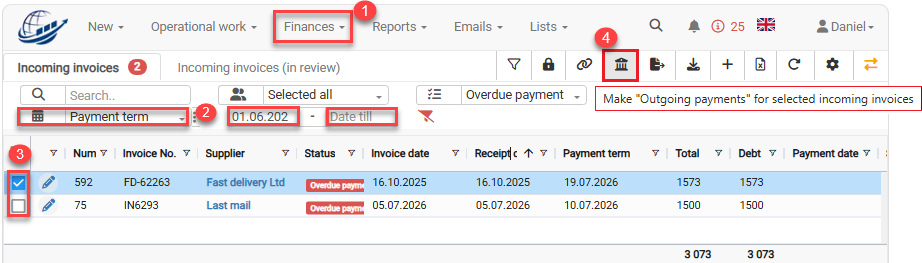
5. When the “Make outgoing payments for selected incoming invoices” window opens, select the correct bank account.
6. Click the Make outgoing payments button to create outgoing payments.
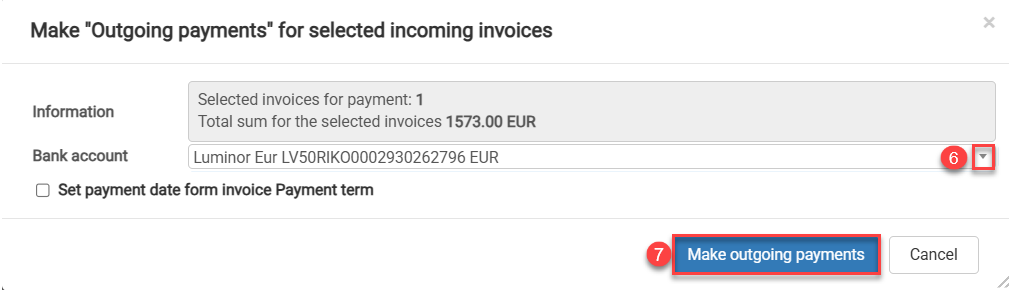
After clicking Make outgoing payments, CLOUDEX TMS will create outgoing payment records for the selected incoming invoices. These payments will be available in Finances → Outgoing payments and will be ready for export to Internetbank.
How to export Outgoing payments to Internetbank?
Navigation path: Finances → Outgoing payments
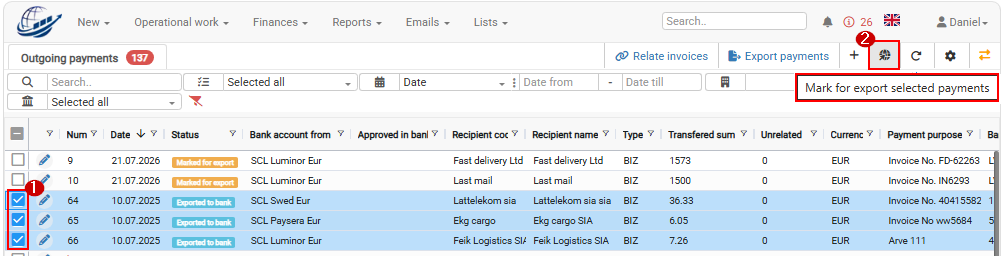
1. Open Finances → Outgoing payments.
2. Select the Outgoing payments you want to export using the checkbox in the first column.
3. Click Bank payments export icon  in the top toolbar.

Tips and tricks
1. How to remove an outgoing payment from bank export?
When you click Make “Outgoing payments” for selected incoming invoices, CLOUDEX TMS creates outgoing payment records for the selected incoming invoices.
By default, these payments are prepared for bank export. This means that the Export to Internetbank checkbox is selected automatically.
If the payment should not be exported to the bank, for example because the invoice was already paid manually, you need to remove this checkbox from the outgoing payment.
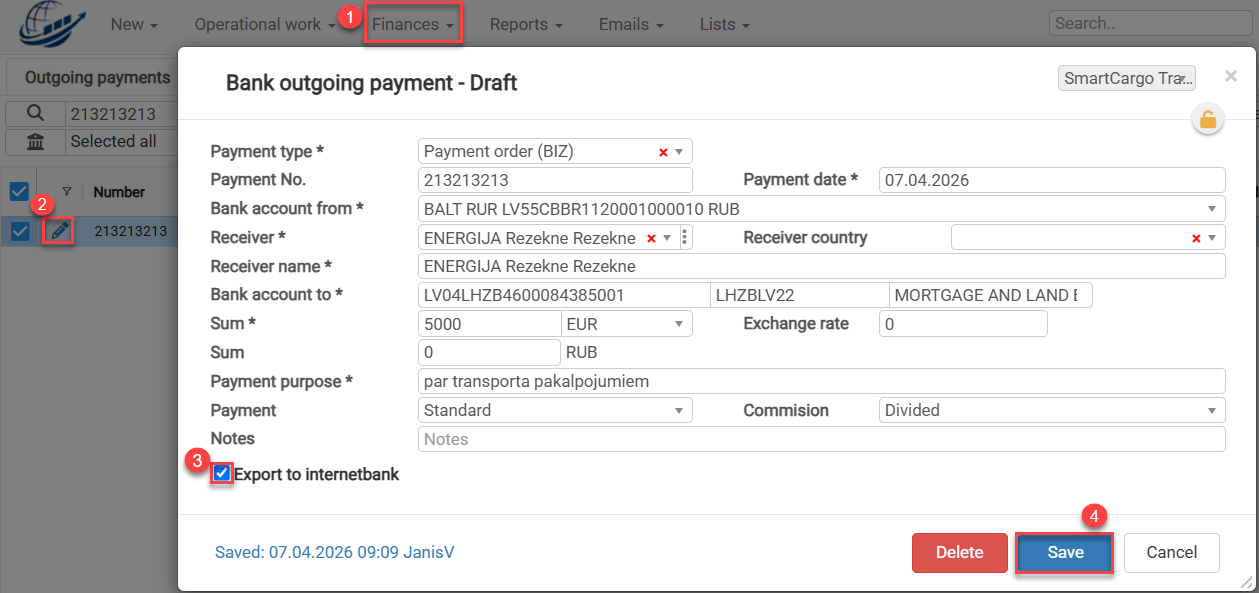
- Outgoing payments.
- Find the required outgoing payment and click the Edit icon.
- Clear the Export to Internetbank checkbox.
- Click Save.
After this, the payment will remain in CLOUDEX TMS, but it will not be included in the bank export.
2. How to mark payments for export - set checkbox "Export to internet bank"?