How to send an order acceptance confirmation to Client?
To send an orderOrder acceptance confirmation,notification to client or Transport order to client, open the specific Client order.
1. In the toolbar, click the button  and select the appropriate option.
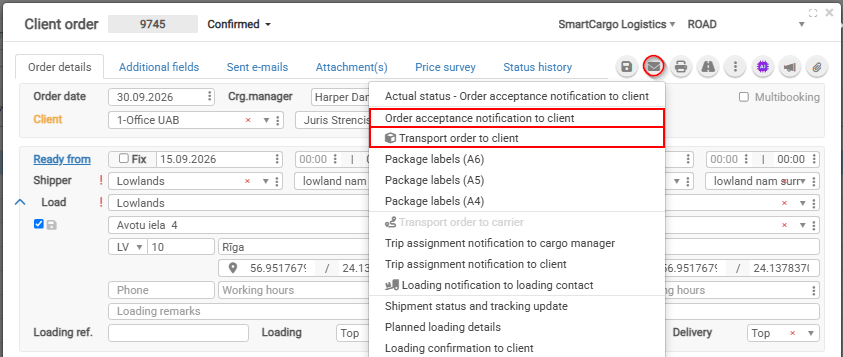
IMPORTANT: Order acceptance notification to client or Transport order to client and also other shipment status updates will be sent in language which is pointed in Client card
2. By selecting Inform client for cargo accepting, you can send an automatically generated order acceptance confirmation email.
email will contain Shipment CMR, Packehe labels and Transport order to client if you choose Transport order to client email
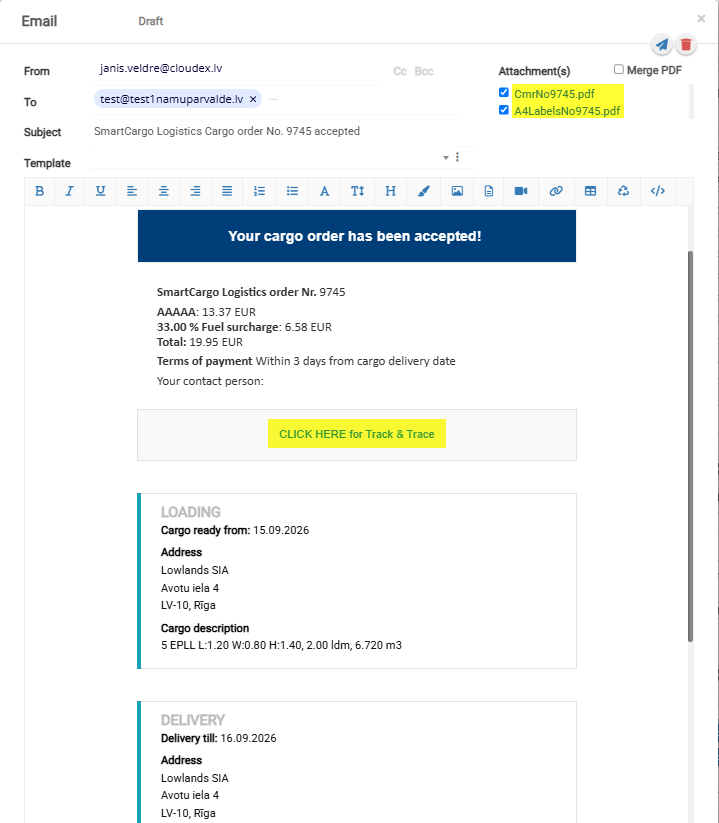
3. By
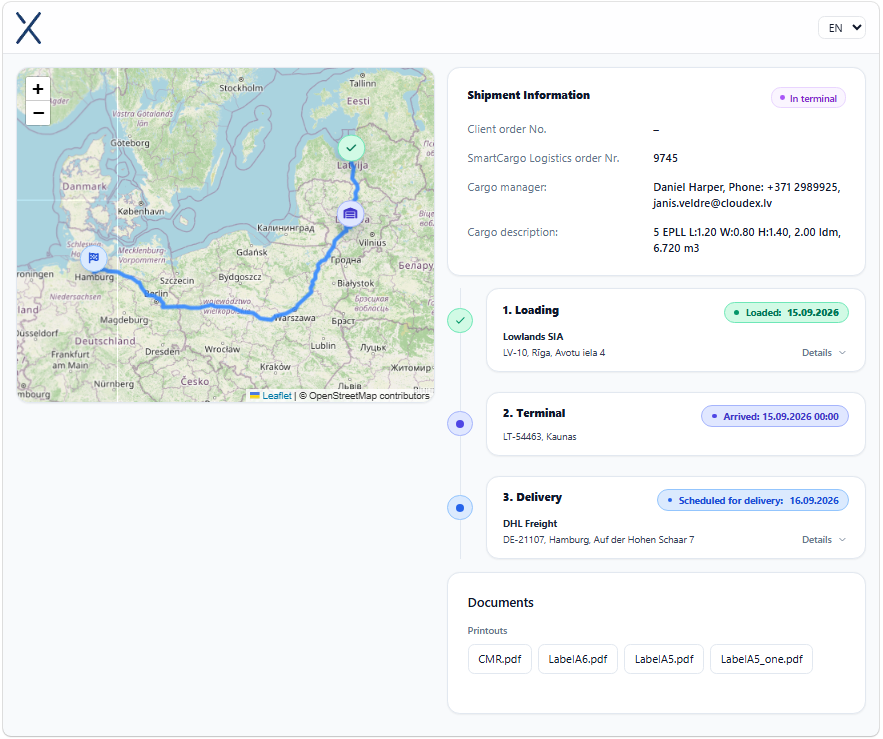
Email Ordercontains forTrack Client,& anTrace emailunique containingURL thewhich ordershows agreementcurrent shipment status and mailstones. And if Truck is navigation system is connected to cloudex TMS then also Truck locaton will be generatedvisible automatically.on the map.