
How to send an order acceptance confirmation to a client?
ToSend an order acceptance confirmation directly from a Client order to let your client know that you have accepted their transport order.
The email includes order details and a Track & Trace link, allowing the client to follow the shipment’s progress. You can also send anthe transport order document and other shipment documents.
Before you start
Make sure your email account is configured to send emails from Cloudex TMS.
Check the client’s email address and the order details.
Check the language selected in the Client card. Cloudex TMS uses this language for the order acceptance email, transport order email, and other shipment status notifications.
Send the confirmation
Open the relevant Client order.
Click the envelope icon in the toolbar.
Select the appropriate email option:

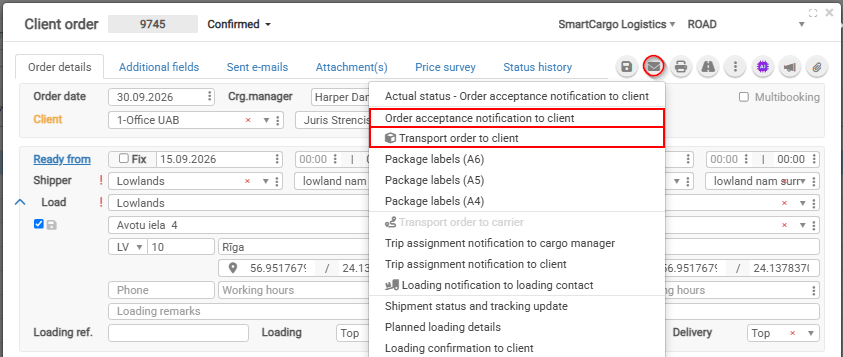
IMPORTANT:In Orderthe acceptanceemail notificationwindow, toreview:
Attachment(s) — check which documents are selected for sending.
Attachments can include the shipment’s CMR, package labels, and, when you select Transport order to client, andthe alsotransport otherorder shipmentdocument.
Click bethe sentSend icon in languagethe whichupper-right iscorner pointedof inthe Clientemail cardwindow.
2.
email will contain Shipment CMR, Packehe labels and Transport order to client if you choose Transport order to client email
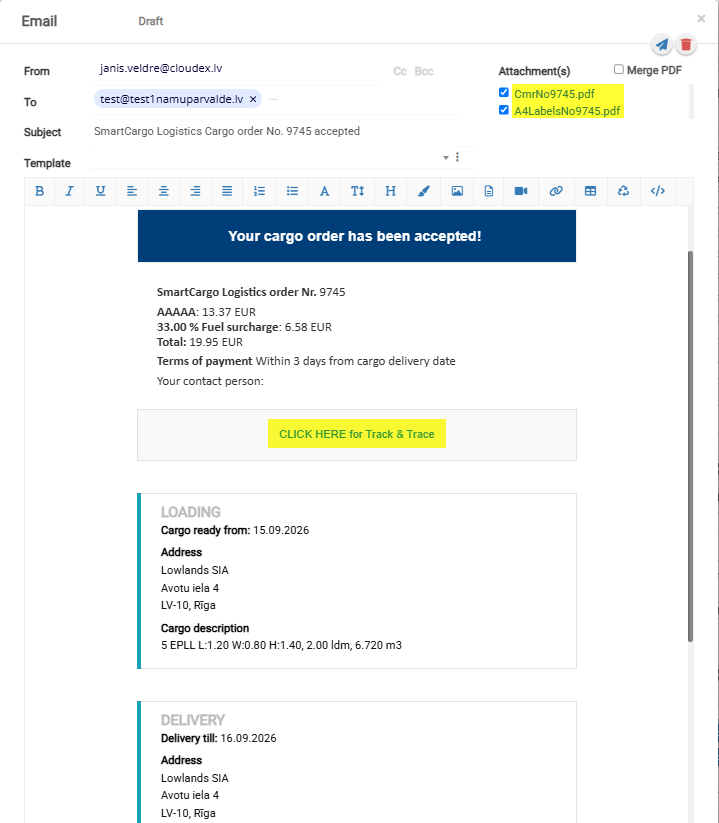
Email
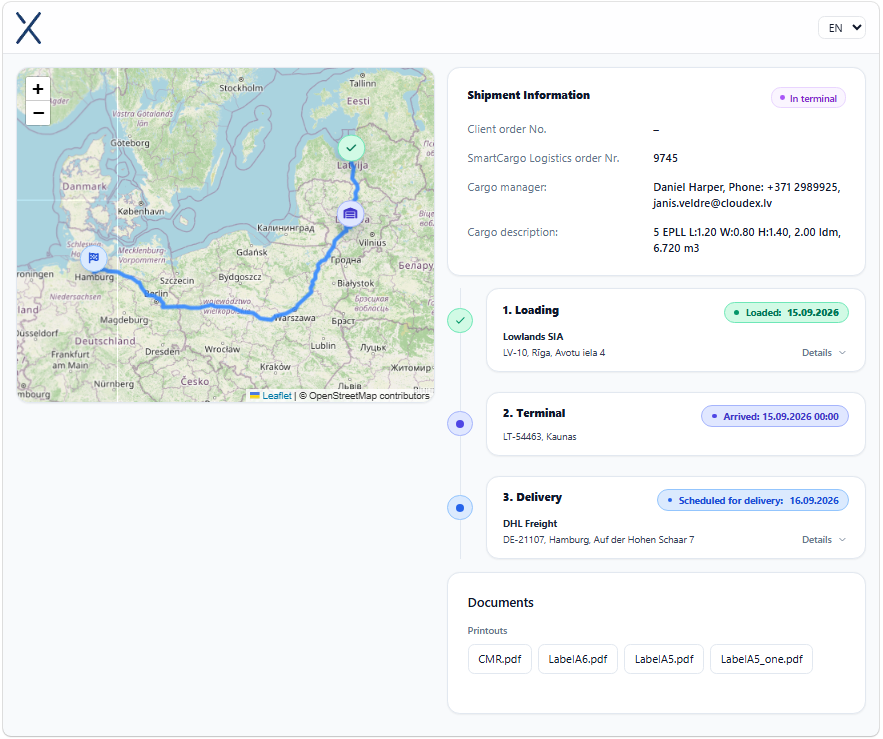
What containscan the client see through Track & TraceTrace?
The email contains a unique URLTrack which& showsTrace link for the shipment. The client can open it to view the current shipment status and mailstones.milestones, Andsuch ifas Truckloading, isarrival at a terminal, and delivery.
If the truck’s GPS or navigation system is connected to cloudexCloudex TMS thenand location data is available, the client can also Trucksee locatonthe willtruck’s be visiblelocation on the map.
Common questions
Why is the email generated in the wrong language?
Check the language selected in the Client card.
How do I include the transport order document?
Choose Transport order to client from the email menu and check the selected attachments before sending.
Why is the truck’s location missing from Track & Trace?
Truck location is available only when the truck’s GPS or navigation system is connected to Cloudex TMS and provides location data.
Related articles
How to set your email password to send emails from Cloudex TMS