How to send payment reminders for unpaid outgoing invoices?
Use this instruction when you need to send payment reminders to customers for unpaid outgoing invoices.
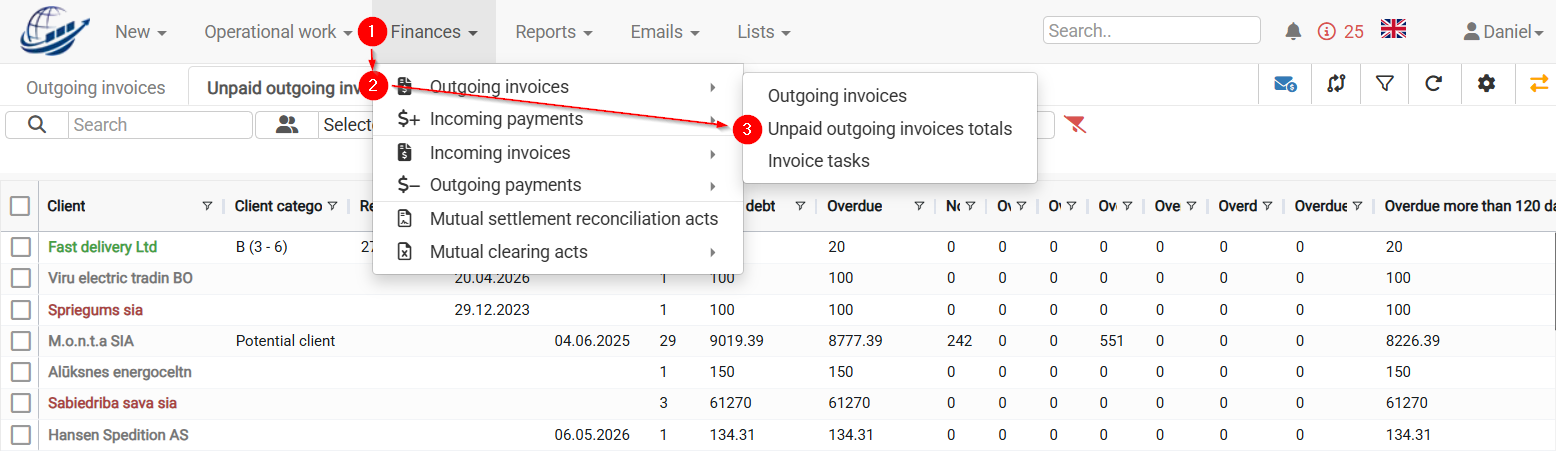
- Open Finances → Outgoing invoices → Unpaid outgoing invoices totals.
2. In the Due date field, select the date you want to check (usually today).
3. CLOUDEX TMS will show the invoices that were still unpaid for the selected due date.
If no date is selected, the system will display all unpaid invoices. But usually payment reminders are sent for delayed invoices.
4. Select the customers for whom you want to send payment reminders.
5. Click Send payment reminders. 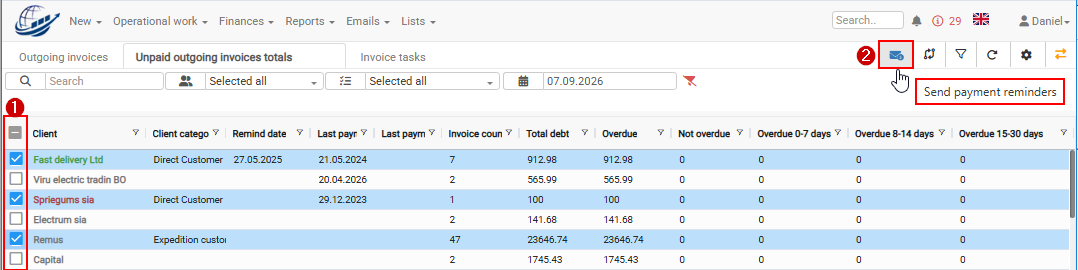
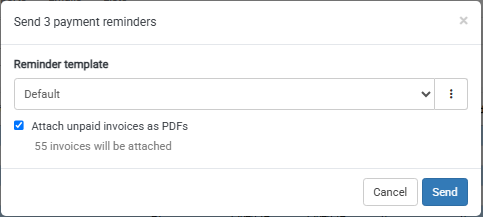
6. In the reminder window, select the required payment reminder text.
7. If needed, select Attach unpaid invoices as PDFs.
8. Send the payment reminders.
Where will the payment reminder be sent?
CLOUDEX TMS sends the payment reminder using this order:
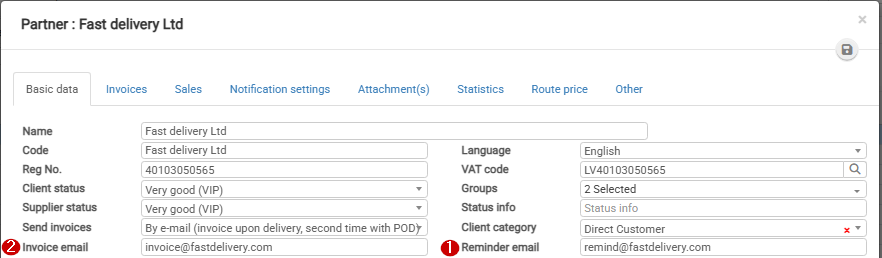
- To the customer’s Reminder email.
- If the Reminder email is empty, to the customer’s Invoice email.
- If both fields are empty, the reminder is sent to the manager responsible for the order included in the