How to send payment reminders for unpaid outgoing invoices?
Use this instruction when you need to send payment reminders to customers for unpaid outgoing invoices.
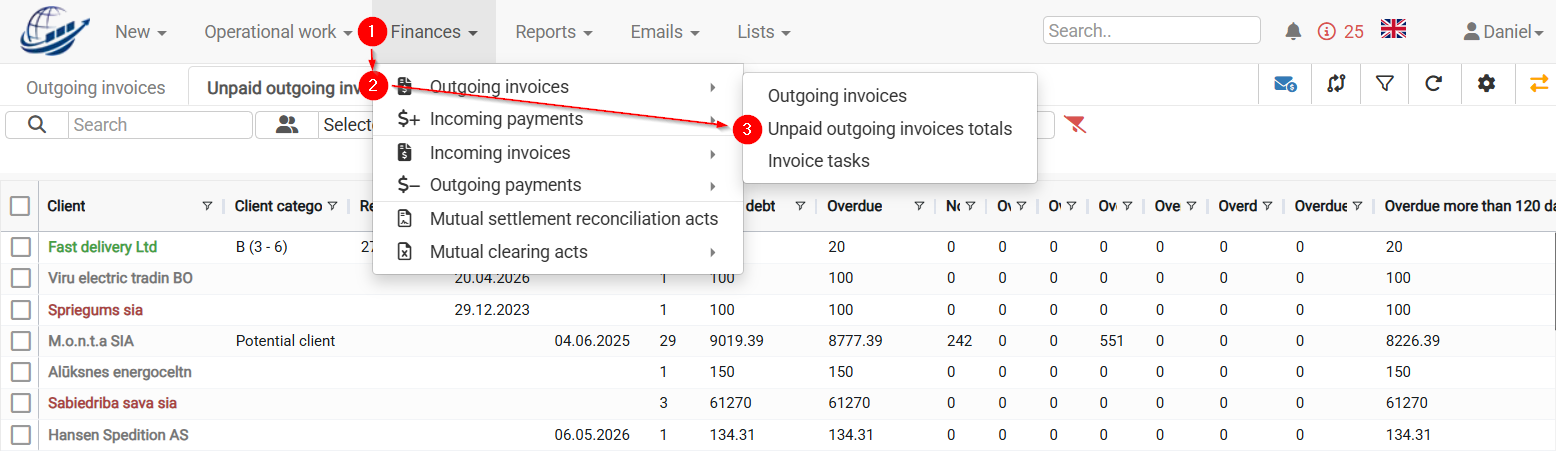
To2. seeIn the correctDue listdate offield, unpaid invoices, setselect the Due date 
check.check The(usually systemtoday).
3. CLOUDEX TMS will displayshow allthe invoices that were still unpaid onfor thatthe Dueselected due date.
If no date is selected, the system will display all unpaid invoices. But usually payment reminders are sent for delayed invoices.
1)4. Select allthe orcustomers yourfor chosen Clientswhom you want to send invoice payment remindersreminders.
5. 2)Click Choose Send payment reminders. sunction
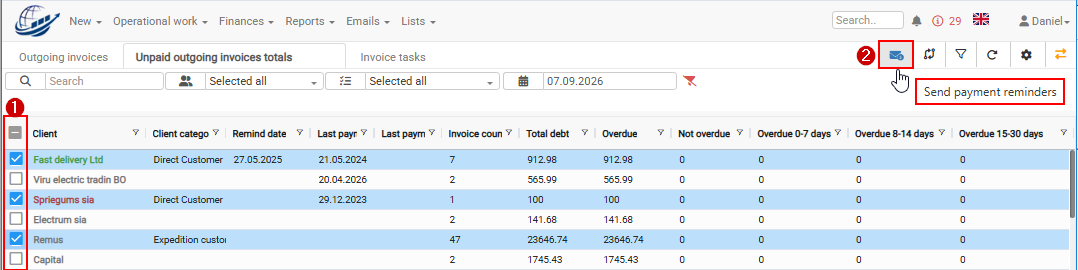
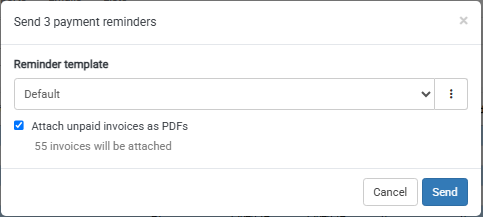
6. In nextthe windowreminder itwindow, isselect possiblethe to chooserequired payment reminder texttext.
7. andIf needed, select Attach unpaid invoices as PDFs.
8. (unpaidSend invoices will be added tothe payment reminder as separate attachments)reminders.
Invoice
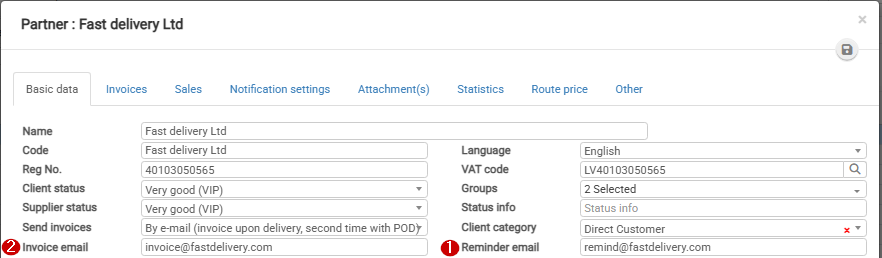
Where will the payment reminders willreminder be sent?
CLOUDEX TMS sends the payment reminder using this order: