How to set up an e-mail sending in Cloudex TMS?
To send emails from Cloudex TMS:
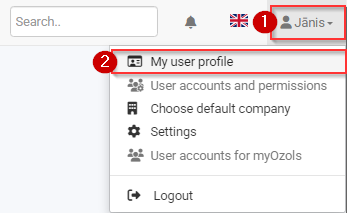
1) Click on the Your User Name icon
2) In menu select the My user profile
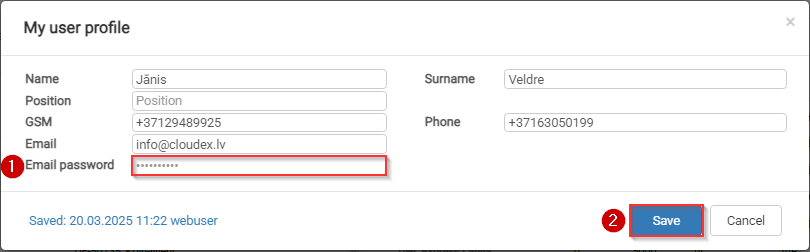
In the Email password field:
1) Enter your Email password
2) Click the Save button