Skip to main content
How to update Order for Carrier and Order for Client rules?
In
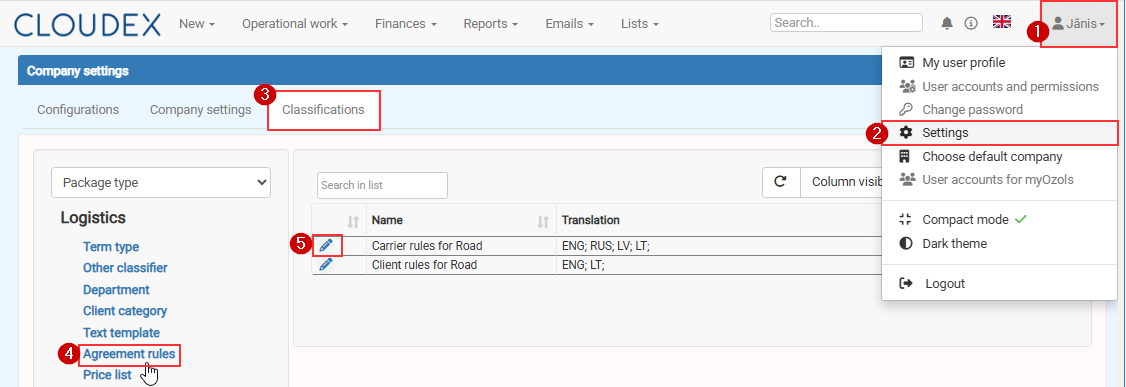
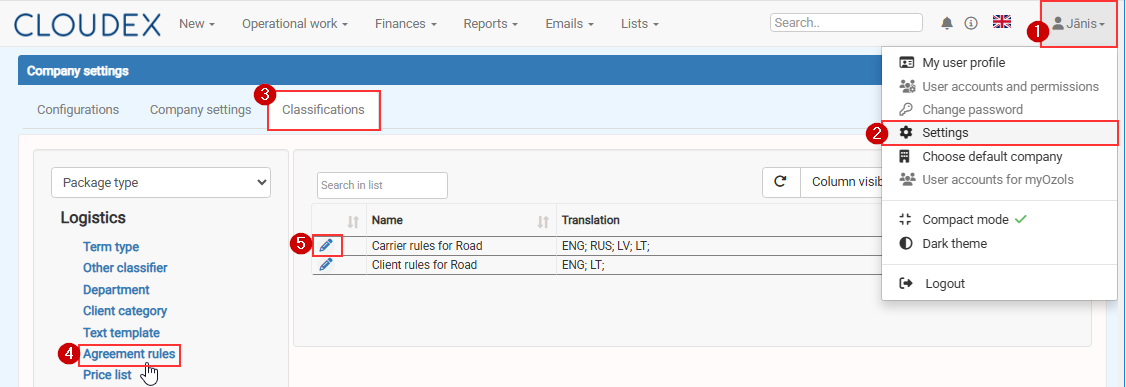
order to edit Order for carrier rules or Order for Client rules Click
on Your name >in the top-right corner.
Select Settings.
>Open the Classifications >tab.
Select Agreement rules >from the menu on the left.
Click the Edit icon next to the required rule:
Carrier rules for Road, or
Client rules for Road.