How to update Order for Carrier and Order for Client rules?
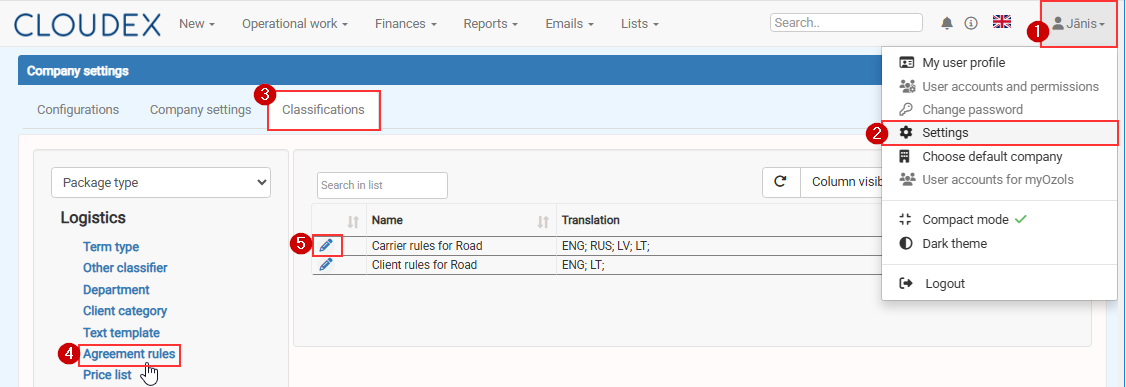
- Click Your name in the top-right corner.
- Select Settings.
- Open the Classifications tab.
- Select Agreement rules from the menu on the left.
- Click the Edit icon next to the required rule:
- Carrier rules for Road
,or - Client rules for Road.
- Carrier rules for Road