
How to clear Cache & Storage
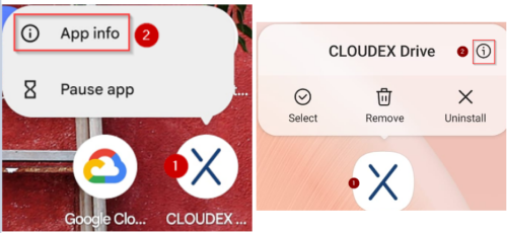
(1) Finger press the "CLOUDEX drive" icon for 1 second (2) and then select "App info"
Options for how it could look
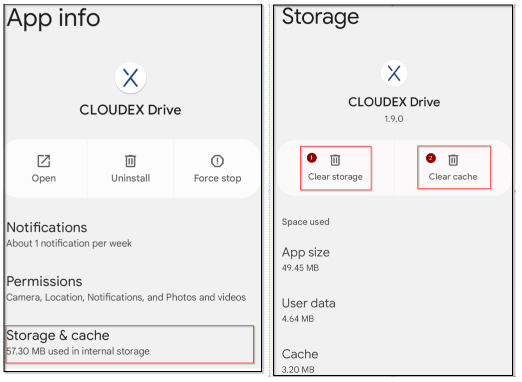
(1) Click on storage and cache
Options for how it could look
(2) Clear storage (2) Clear cache
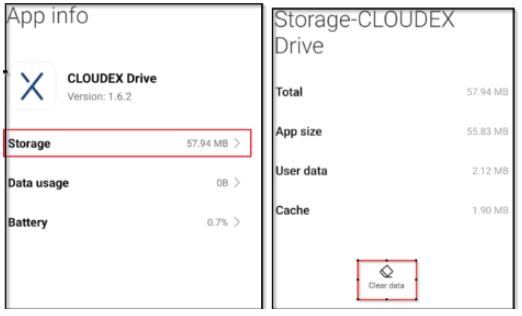
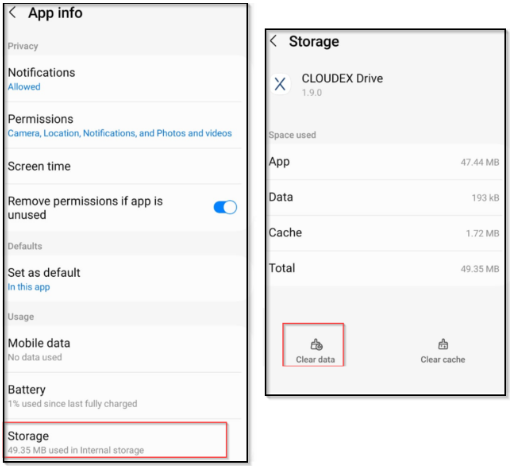
(1) Click on storage
(2) Click clear data
No comments to display
No comments to display