
How can I set Cloudex to automatically send outgoing invoices?
To generate an invoice automatically, the following criteria must be met:
Order must be in status "Delivered"



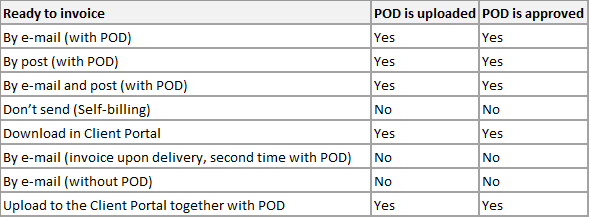
 Uploaded POD/CMR and POD Aprovement is required regarding Send invoice type field:

The  icon indicates that the invoice is ready to be generated manually, while
  icon indicates that the invoice will be generated automatically.