
How to send outgoing invoices automatically
To generate an invoice automatically, the following criteria must be met:
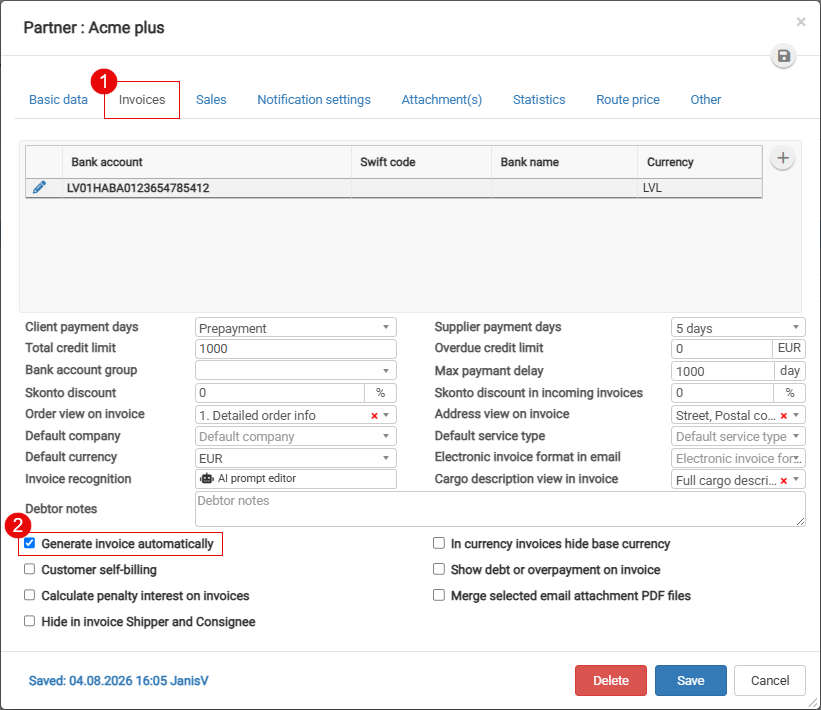
- In the client card Invoices tab has to be mark

- Order must be in status "Delivered"

-
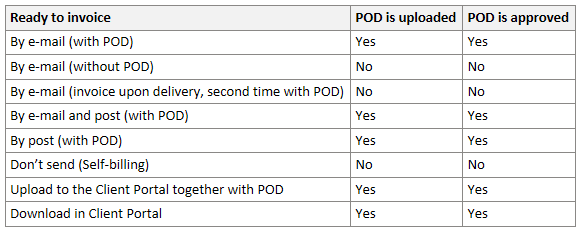
Depending on the selected “Send inv.” option, a POD/CMR may need to be uploaded and approved before the invoice can be generated.



Active orders

 Second orange empty circle means POD/CMR approval is expected,
 icon indicates that the invoice is ready to be generated manually,
 icon indicates that the invoice will be generated automatically.
Whre to find checkbox "Generate invoice automatically"
No comments to display
No comments to display