
How to set up gmail email
1. To send Gmail emails from within OZOLS TMS, follow these steps:
1) Open a Google account and authorize:
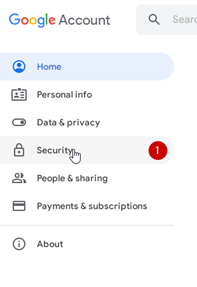
2) Opens the Security section
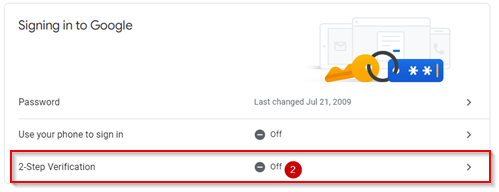
3) Activate two-step authentication (a confirmation code will be sent to the phone)
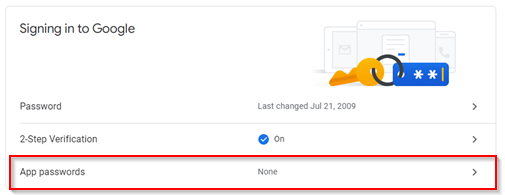
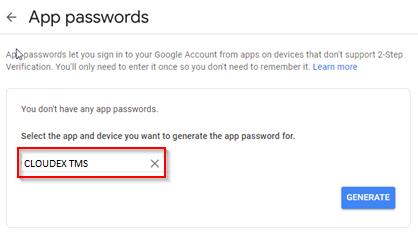
4) Select App passwords
4) Choose Other (Custom name)
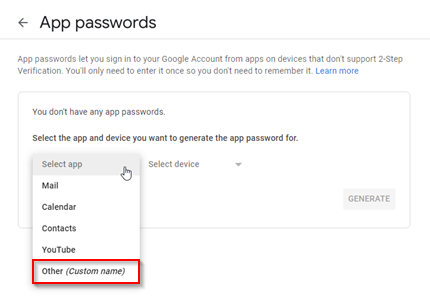
5) Type "Ozols" in the window and press GENERATE
5) A gmail password for the OZOLS TMS system is created
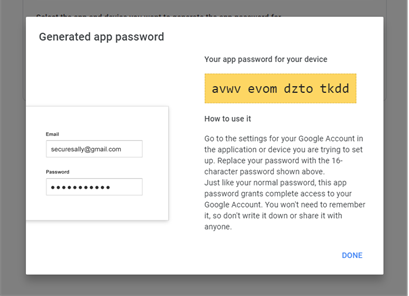
5) This password must be entered in the user's email settings in CLOUDEX TMS by following the instructions here.