
Office365: How to get TenantId, ClientId and ClientSecret?
If you use Microsoft office 365 for email sending. Your company Microsoft admin need to get following settings from Azure AD Application
-
Directory (Tenant) ID
-
Application (Client) ID
-
Client Secret Value
These three values are required for integrating CLOUDEX TMS with Microsoft Graph using OAuth2.
1️⃣ Sign in to Azure Portal
Open: https://portal.azure.comSign in with a Microsoft 365 Global Admin or Application Administrator account.
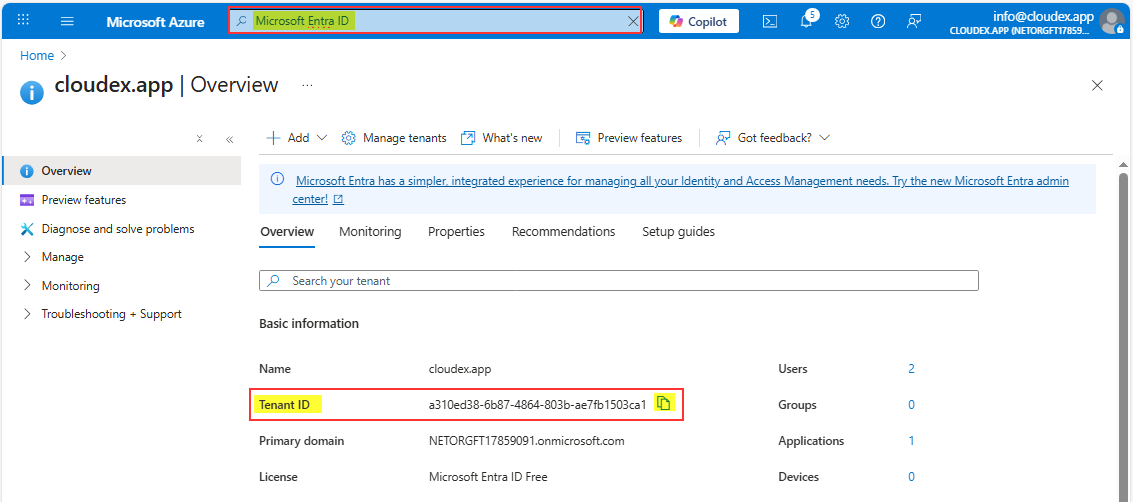
2️⃣ Open “Microsoft Entra ID” (Azure AD)
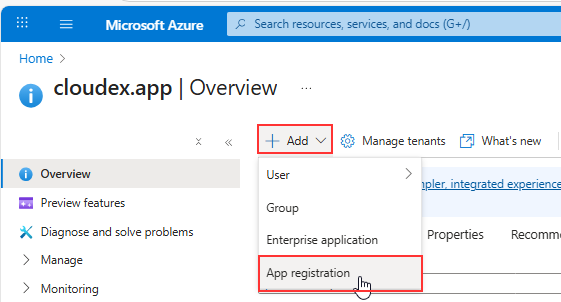
3️⃣ Create a new App Registration
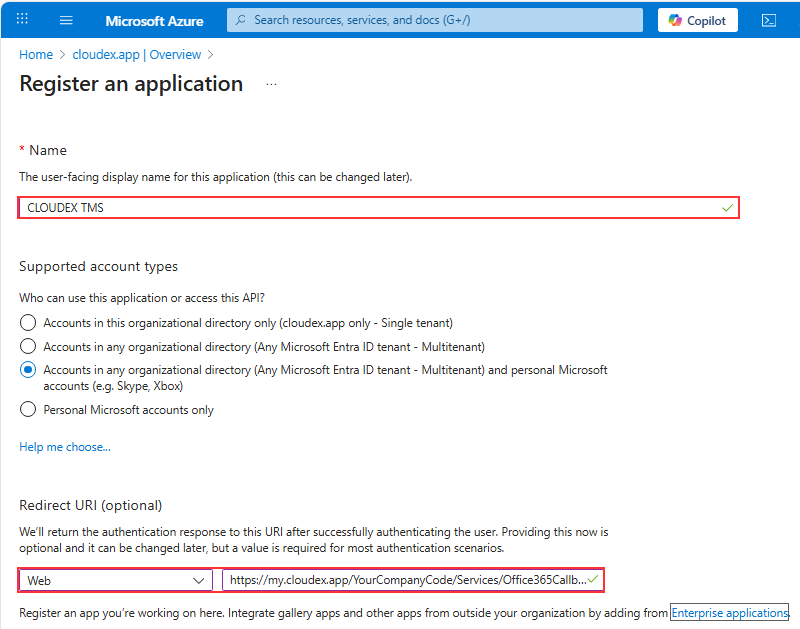
| Field | Value |
|---|---|
| Name | CLOUDEX TMS Email Integration (or any name) |
| Supported account types | ✔️ Accounts in any organizational directory (multitenant) |
| Redirect URI |
Select Web → Enter your redirect:
1) Replace 2) Redirect URL is case-sensitive |
Click Register.
4️⃣ Get the Tenant ID and Client ID
After creation, you will be redirected to the app’s Overview page.
Here you will see:
✔ Directory (Tenant) ID
✔ Application (Client) ID
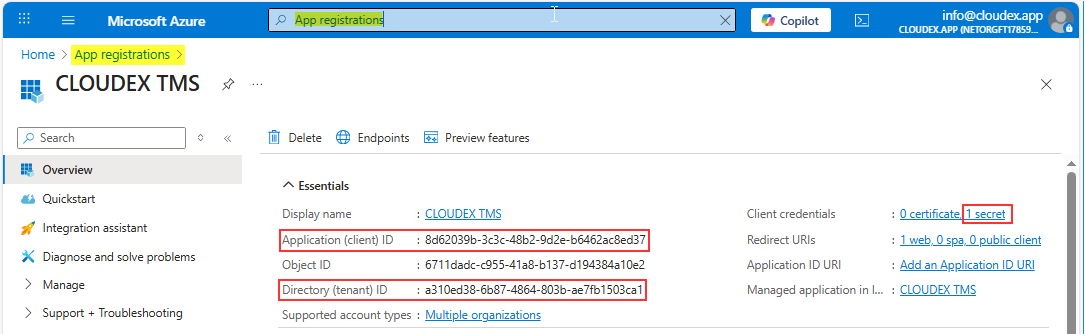
You already have 2/3 values.
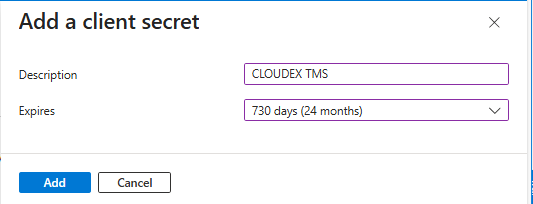
5️⃣ Create Client Secret
-
Click New client secret
-
Enter a name:
CLOUDEX Secret -
Choose expiration:
-
6 months (not recommended)
-
12 months
-
24 months (recommended)
-
Or “Custom”
-
-
Click Add
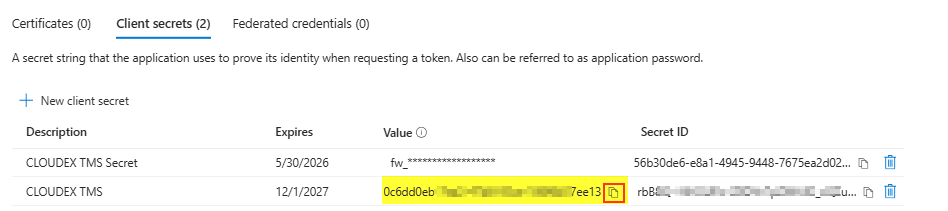
Copy the Client Secret VALUE immediately.
You will never be able to see it again later.
Store it securely (Azure Key Vault, password manager, etc).
Now you have:
-
ClientId
-
TenantId
-
ClientSecret Value
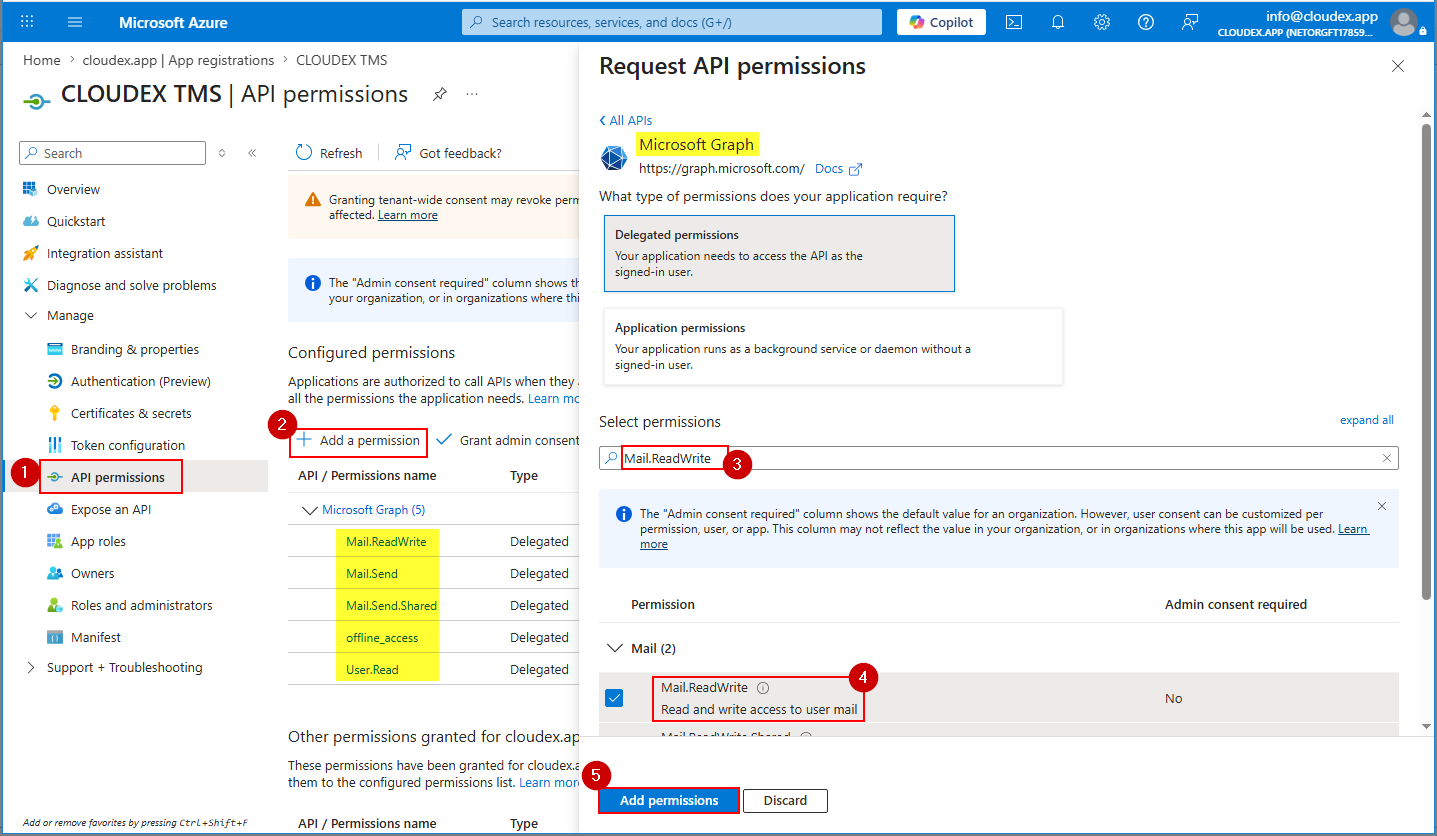
6️⃣ Add Required API Permissions
Click:
-
Add a permission
-
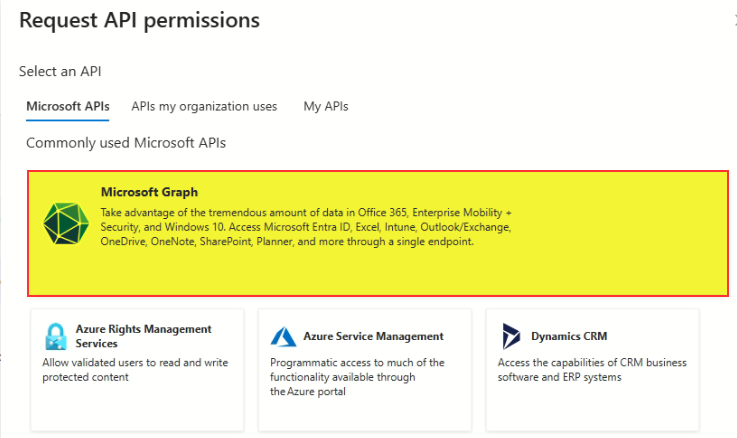
Microsoft Graph
-
Delegated permissions
Search + select:
✔ Mail.ReadWrite
✔ Mail.Send
✔ Mail.SendShared
✔ offline_access
✔ User.Read
!!! If email sending does not work, then add also following permissions
✔ email
✔ openid
✔ profile
Then click Add permissions.
Then click Grant admin consent.
Can be in new interface need to choose Microsoft Graph API
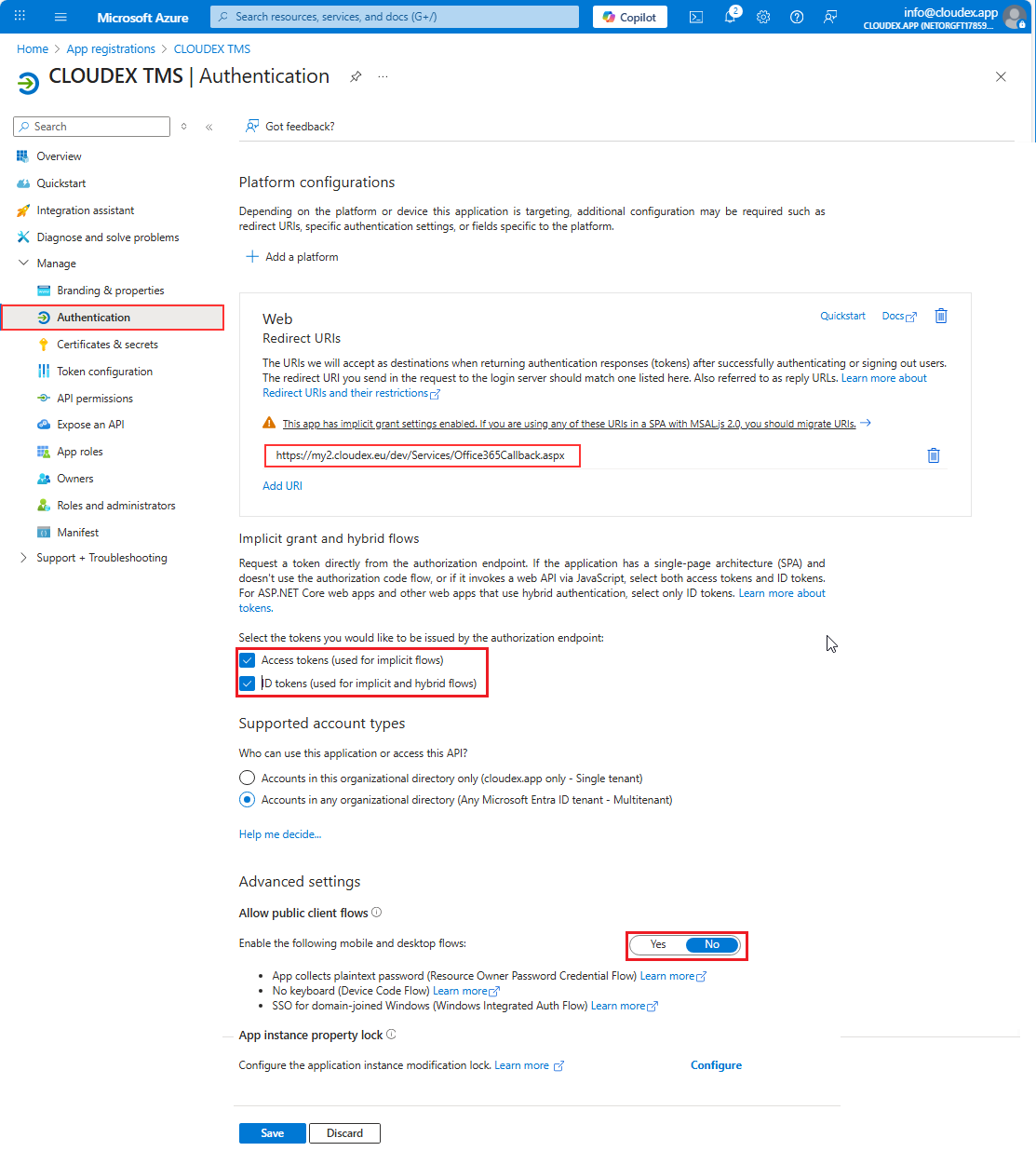
7️⃣ Final Check: Authentication Settings
Ensure:
✔ Your redirect URI is correct
✔ “Allow public client flows” is OFF
✔ “Access tokens” and “ID tokens” are ON
🎉 DONE — Values ready to use
You now have everything:
| Parameter | Where to find it |
|---|---|
| TenantId | App → Overview → Directory (tenant) ID |
| ClientId | App → Overview → Application (client) ID |
| ClientSecret | App → Certificates & Secrets → Value |
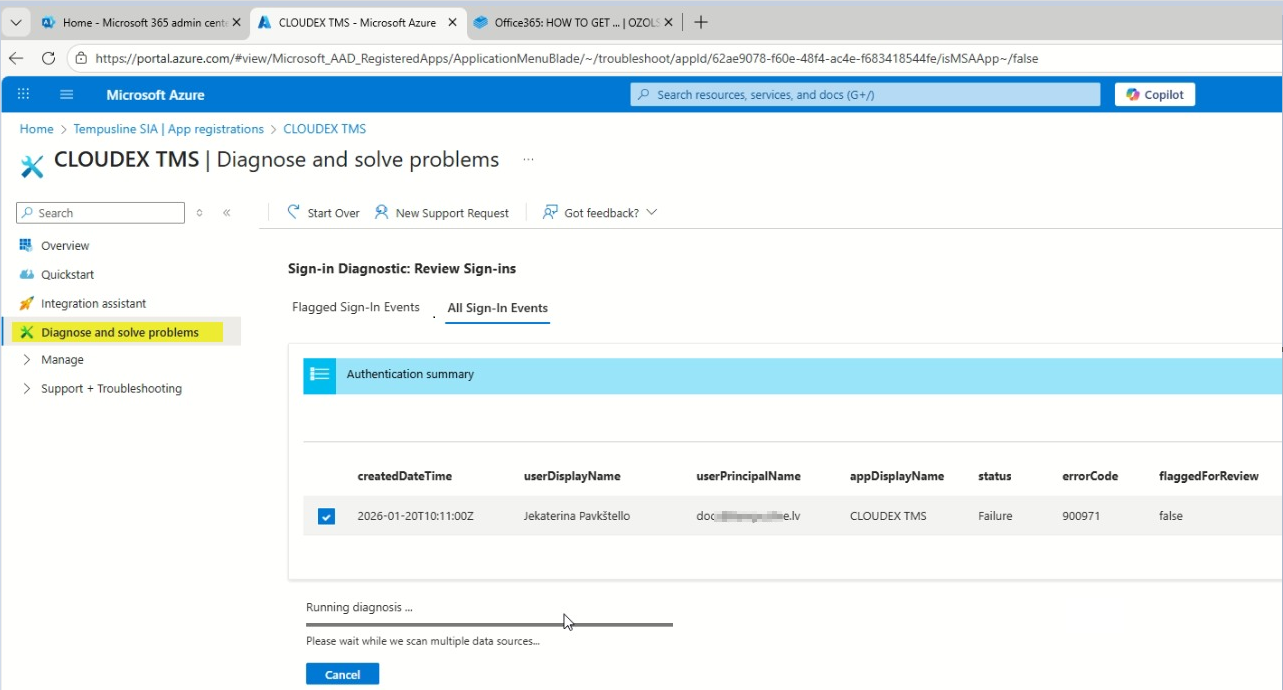
Problem solution
In case you have any problems sending out emails from CLOUDEX TMS or Ozols you can run "Diagnose and solve problems" tool
No comments to display
No comments to display